
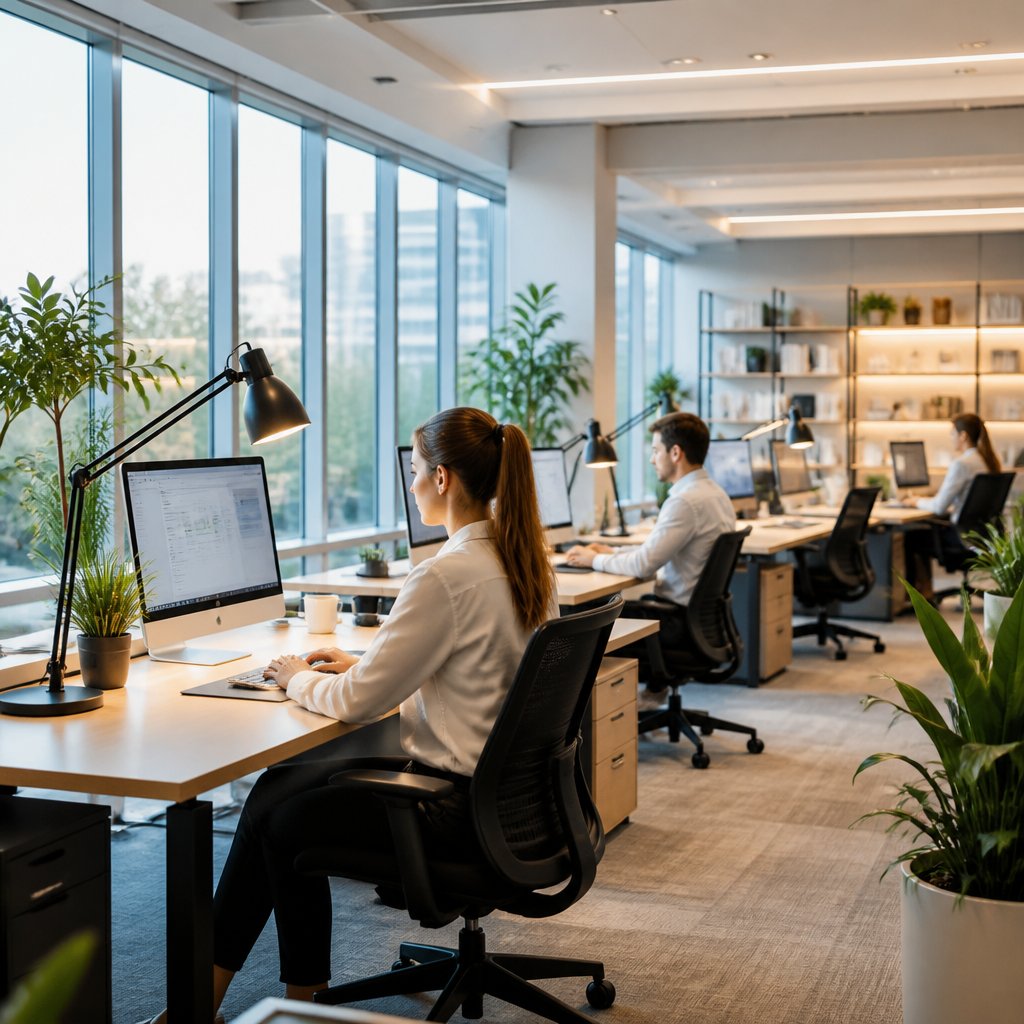
Ever notice how a room just feels exhausting before the day’s even half over? Burning eyes, a dull headache, and everyone shifting around to dodge glare on their screens—yeah, lighting might be the culprit. The upside? A few small, thoughtful lighting tweaks can make your workspace calmer, safer, and honestly just nicer to be in.
When you improve workspace lighting for employee comfort, you’re not just making things look better. You’re helping cut glare, dial down eye strain, support focus, and create a space where people can actually get work done without feeling wiped out. For offices, retail spaces, and shared work areas across Central Texas, that usually means better fixtures, smarter placement, and the right controls. If you’re ready to make the place more comfortable, you can even ask for personalized scripture-based guidance at NowAskJesus when work and life start to feel heavy.
Why Lighting Quality Matters At Work
Lighting does a lot more than just make a room look nice. It shapes how easy it is to read, focus, move around, and stay comfortable through a long shift. That’s why lighting quality deserves the same attention as your chair or air flow.
Effects On Eye Strain And Fatigue
Bad lighting makes your eyes work overtime. You end up squinting, get headaches, dry eyes, and just feel tired. If the light’s too dim, too bright, or uneven, your body keeps trying to adjust—and that gets old fast.
Connections To Focus, Mood, And Productivity
Lighting changes how alert you feel. Balanced, clean light keeps you sharp. Harsh glare or gloomy corners? That just drains you. In a lot of workplaces, better lighting actually puts people in a better mood because they’re not fighting the room just to get simple stuff done.
Why Comfort Problems Often Go Unreported
Most people won’t mention lighting issues. Maybe they think eye strain is just part of the job, or the problem’s too minor to bring up. I’ve seen folks deal with bad lighting for months until someone tweaks a fixture and suddenly the room feels totally different.
How To Assess A Workspace Lighting Setup
Start by noticing how the space actually feels during the workday—not just how it looks when you first flip the lights on. Where do people sit? Where are the screens? Which spots are too dim, too bright, or just feel off?
Signs The Current System Is Not Working
Look for complaints about headaches, squinting, glare on monitors, or trouble reading. Dark corners, harsh shadows, flickering lights, and people using phone flashlights or desk lamps just to see—those are all red flags.
Tasks And Areas That Need Different Light Levels
A break room doesn’t need the same brightness as a detail work area or a computer-heavy office. Reception desks, conference rooms, warehouses, retail displays, and workbenches all need different light levels depending on the task. Matching the lighting to the job is a quick win for comfort.
Simple Ways To Review Glare, Shadows, And Brightness Balance
Check out the room at different times and from different seats. Sit where the team sits. Do overhead lights bounce off screens? Are faces shadowed? Does one part of the room feel way brighter than another? A quick walkthrough with a few honest questions usually uncovers stuff you’d miss from the doorway.
Choosing Better Fixtures And Light Sources
The best lighting depends on what you’re doing and how big the space is. In most offices and commercial spaces, you want steady, efficient light that’s clear but not harsh.
LED Options For Offices, Retail Spaces, And Shared Work Areas
LED fixtures are a solid pick—they’re efficient, last a long time, and come in tons of styles. In offices, they’re great for ceiling panels and troffers. In retail and shared spaces, LEDs can highlight products, brighten walkways, and keep things looking professional.
Color Temperature Choices For Different Work Environments
Color temperature changes the vibe. Cooler white light usually works best in task-focused offices, service counters, and places where you need to stay alert. Warmer light feels cozier in break rooms, waiting areas, and spots meant for relaxing.
Light Distribution And Fixture Placement Basics
A good fixture spreads light evenly. Wide, even distribution cuts down on shadows and bright spots. Poor placement leaves your workspace patchy and uncomfortable. In a lot of Austin, Round Rock, Cedar Park, and Georgetown buildings, the spacing matters just as much as the bulb.
Reducing Glare And Creating Visual Comfort
Glare is a huge reason people complain about lighting—especially in rooms with computers, shiny tables, or big windows. Fixing it usually comes down to where you put things, how you shield the light, and using daylight the right way.
Screen Positioning Near Windows And Overhead Lights
Don’t put computer screens directly in front of windows or under strong overhead lights. Even moving a desk a little can cut glare and make screens easier to read. If people keep tilting monitors or closing blinds, the layout probably needs a rethink.
Using Diffusers, Shades, And Indirect Lighting
Diffusers soften sharp light and make fixtures easier on the eyes. Shades knock down direct sun, and indirect lighting bounces light off ceilings or walls for a gentler effect. These tricks help in offices, meeting rooms, and shared spaces where people need to stay comfortable all day.
Balancing Daylight Without Creating Hot Spots
Daylight’s great, but you have to control it. Too much sun in one spot creates hot zones, while the rest of the room stays dim. Use window treatments, glass films, or layered lighting so natural light helps instead of hurts.
Improving Control, Efficiency, And Flexibility
A workspace feels better when people can tweak lighting for the job at hand. Controls also help you save energy without making the place feel dark or stiff.
Task Lighting For Individual Workstations
Task lighting gives people control over their own space. A simple desk lamp or adjustable fixture helps with reading or detail work, and you don’t have to crank up the lights for everyone. This is a smart move for offices and home workspaces too.
Smart Controls, Dimmers, And Occupancy Sensors
Dimmers let you adjust brightness as daylight shifts. Occupancy sensors cut wasted energy in rooms people come and go from. Smart controls make it easier to manage zones in bigger buildings, especially when lighting needs change during different shifts.
Energy Savings Without Sacrificing Comfort
Efficiency shouldn’t make things less comfortable. Pair LED fixtures with controls and good layout, and you’ll usually lower energy use while making the space feel better. That’s the kind of upgrade a lot of Central Texas businesses are after.
When Electrical Upgrades Make The Biggest Difference
Sometimes, the real issue isn’t just the fixture—it’s the electrical system behind it. If the wiring, switches, or circuits are old, the whole room might struggle to handle modern lighting.
Outdated Wiring, Switches, And Circuit Limitations
Old wiring limits what lighting you can safely use. Worn switches might flicker, buzz, or just not work smoothly. Overloaded circuits make upgrades a headache. If lights dim when equipment turns on, it’s time to look closer.
When A Lighting Retrofit Should Include Panel Or Control Updates
A retrofit isn’t always just about new fixtures. If you’re adding zones, smart controls, or higher-efficiency lighting, the electrical panel or controls may need an upgrade too. That’s especially true in older homes and buildings in Lakeway, Bee Cave, Dripping Springs, and Westlake.
Why Professional Installation And Safety Inspections Matter
Lighting work can look simple, but electrical safety really does matter. A pro can spot hidden wiring issues, weak connections, and code problems before they turn into something bigger. For businesses and homeowners, that peace of mind is worth it—especially when the upgrade affects the whole space.
Frequently Asked Questions
What type of lighting works best for computer-heavy office work?
Soft, even LED lighting with low glare is usually your best bet. You want enough brightness to see, but not so much that it bounces off screens or tires your eyes.
How can you brighten an office space that has little or no natural light?
Layer lighting with bright but comfortable LEDs, add task lamps, and make sure fixtures are placed well. Lighter wall colors and reflective surfaces help spread light around too.
Which lighting options mimic daylight without causing glare on screens?
Neutral to cool white LEDs work well—they give that daylight feel without being harsh. The trick is using diffusers, good angles, and setting up screens to avoid reflections.
What are practical ways to fix uneven or harsh lighting in a workplace?
Swap out mismatched bulbs, add task lighting where it’s needed, and move fixtures for better coverage. Dimmers and shades help tone down harsh spots and cut contrast.
How can ceiling light placement improve comfort and reduce eye strain?
When ceiling lights are spaced and centered right, they spread light evenly and keep bright sources out of your direct view. That means fewer shadows, less glare, and less eye strain.
What do common lighting guidelines like the “3-lighting rule” and the “4 C’s of lighting” mean for offices?
People toss around these phrases to promote a layered lighting setup—think more than one light source, not just a single overhead. The “4 C’s” nudge you to care about comfort, control, color quality, and, well, consistency. It’s really about keeping glare in check and making sure the space actually works for whatever you’re trying to get done.