Testing electrical wiring for continuity helps you make sure the wires are properly connected and safe to use.
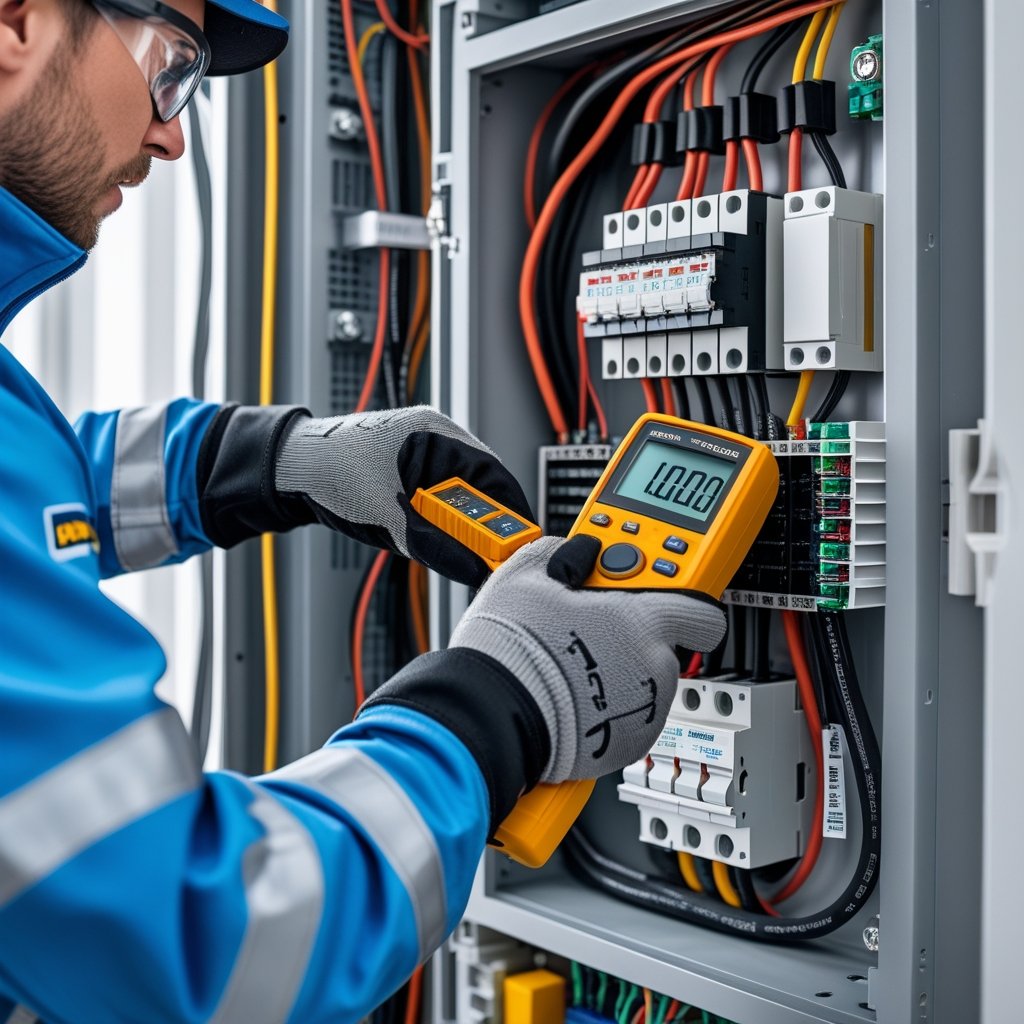
To test continuity, use a multimeter set to continuity mode and check if the electrical path is complete by placing the probes on either end of the wire or circuit.
If the multimeter beeps or shows a low resistance reading, the wire is continuous and unbroken.
Knowing how to do this is important whether you’re fixing outlets, installing lights, or checking for wiring damage.
It helps you find problems like breaks or shorts early, so you avoid bigger issues later.
Understanding Electrical Continuity
Knowing if a circuit is complete is essential when working with electrical wiring.
Testing for continuity shows whether electricity can flow freely through wires or devices, which helps find breaks or faults.
What Is Electrical Continuity
Electrical continuity means there is an unbroken path for current to flow through a circuit or wire.
If continuity exists, electricity moves from one point to another without interruption.
You test this by using a multimeter set to continuity mode.
When you connect its probes to both ends of a wire or a component and hear a beep or see a reading, the circuit is complete.
If the test shows no buzz or reading, the circuit is open or broken.
This tells you electricity can’t pass through that section, signaling a problem you need to fix.
Why Continuity Testing Matters
Testing continuity helps you find hidden wiring issues before they cause bigger problems.
It lets you spot breaks, shorts, or faulty connections early.
This is important for safety and functionality.
Damaged or open circuits can make devices stop working or cause hazards like shocks or fires.
You can confirm if a wire, switch, or outlet is properly connected.
A quick continuity test saves time by avoiding guesswork and ensures your electrical setup works as it should.
Common Applications
Continuity tests are useful in many home and DIY electrical tasks.
You can check wires inside walls, outlets, switches, and light fixtures.
Here are common uses:
- Confirming if wires are connected end-to-end
- Testing switches to see if they open or close the circuit
- Verifying fuses or circuit breakers are intact
- Finding shorts or breaks in complicated wiring
Using a multimeter gives you clear yes-or-no answers that guide your repairs or installations.
It’s a simple step that keeps your electrical system safe and reliable.
Essential Safety Guidelines
Testing electrical wiring for continuity is safe if you follow the right steps.
Always turn off power sources, wear proper safety gear, and watch out for common electrical hazards.
These actions protect you from shocks and other dangers.
Shutting Off Power Sources
Before you start testing, turn off the power to the circuit.
Use the main breaker or the correct fuse to cut electricity to the area you plan to work on.
Verify the power is off by using a voltage tester on the wires or outlets.
Never rely only on the switch; always double-check with a testing tool.
This reduces the risk of shocks or short circuits while testing wiring.
Even a small current can cause harm.
Selecting Appropriate Safety Gear
Wear insulated gloves designed for electrical work.
These gloves protect your hands from accidental shocks.
Eye protection like safety glasses guards against sparks or debris.
Use tools with insulated handles, such as a multimeter or continuity tester, to avoid accidental contact with live wires.
Proper footwear, like rubber-soled shoes, can reduce the risk of electric shock when working in damp or concrete areas.
Recognizing Potential Hazards
Look for damaged wires, exposed conductors, or signs of overheating before testing.
These issues increase the chance of shock or fire.
Be aware of wet conditions around your work area, since water conducts electricity and raises danger.
Watch out for aluminum wiring, which can be a fire risk if handled improperly.
Inspect your tools and surroundings so you can spot problems early and stay safe during testing.
Tools Needed for Continuity Testing
To test electrical wiring for continuity, you need the right tools to check if the circuit is complete.
These tools include measuring devices and the parts that connect to the wiring.
Knowing how to pick and use each tool makes your testing safer and more accurate.
Choosing a Multimeter
A multimeter is a versatile tool for testing continuity.
Look for a digital model with a dedicated continuity mode, often marked with a sound wave or diode symbol.
Set the multimeter to continuity mode, then connect the probes to the circuit.
If the circuit is complete, the multimeter will beep or show a low resistance reading.
Choose a multimeter that is easy to read and has clear symbols.
Some models also include extra functions like voltage or resistance testing.
Using a Continuity Tester
A continuity tester is a simple device for checking if a circuit is complete.
It usually has two probes and a small light or buzzer.
When you touch the probes to either end of the wiring or component, the tester will light up or beep if there is continuity.
This tool is easy to use and great for quick checks.
Make sure the tester is in good condition and the batteries are fresh.
Using a continuity tester can save time if you only need to know if the wire is connected.
Testing Probes and Leads
Probes and leads connect your tester or multimeter to the wiring.
Choose probes that are sturdy and insulated to protect you from electric shocks.
The leads should be flexible and long enough to reach the wires safely.
Check your probes for any damage before testing.
Damaged or worn leads can give false readings.
Some probes have pointed ends for better contact with small terminals, while others have clips for grabbing wires hands-free.
| Feature | What to Look For |
|---|---|
| Insulation | Fully insulated to avoid shocks |
| Length | Long enough to reach wires without strain |
| Tip Type | Pointed for precision, clips for hands-free use |
| Condition | No cracks, breaks, or exposed wires |
Step-by-Step Guide to Testing Wiring
Testing wiring for continuity means checking if the electrical path is complete without breaks.
You need to make sure the circuit is safe to test, set up your testing device correctly, and then perform the continuity test to get accurate results.
Preparing the Circuit for Testing
First, turn off the power to the circuit you want to test.
This avoids electrical shock or damaging your testing tools.
Switch off the breaker or remove any fuses connected to the circuit.
Next, disconnect the wires you will be testing from any devices or power sources.
Unplug appliances and separate wires from switches or outlets.
Testing in isolation gives you clear and precise readings.
Make sure the circuit is completely dead by using a voltage tester.
If the tester reads zero volts, it is safe to continue.
Setting Up Your Testing Device
For testing continuity, a digital multimeter works best.
Set your multimeter to the continuity setting; this option usually looks like a sound wave or diode symbol.
Connect the multimeter probes: the black probe goes into the common (COM) port, and the red probe goes into the voltage or continuity port.
Before testing your wiring, check the multimeter by touching both probes together.
You should hear a beep or see a zero reading, which confirms your device works properly.
Performing the Continuity Test
Place one probe on one end of the wire or circuit and the other probe on the opposite end.
The multimeter will beep or show a low resistance value if the wire is continuous.
If you get no beep or the reading shows infinite resistance, the wire may be broken or disconnected somewhere.
Test all wires you suspect might have problems, especially those that control switches, outlets, or fixtures.
Keep your hands steady and avoid touching the metal probe tips during the test.
This prevents false readings caused by your body’s resistance.
Interpreting Test Results
When testing electrical wiring for continuity, you need to understand what the readings mean to know if the wires are good or if there’s a problem.
Clear signals show proper connections, while other signals may warn you of broken wires or other issues.
Identifying Good Continuity
Good continuity means electricity can flow freely through the wire or circuit.
When you use a multimeter or continuity tester, you’ll often hear a beep or see a low resistance reading.
This shows a complete path.
Look for:
- A beep or tone from the tester
- Resistance readings close to zero ohms (usually below 5 ohms)
These results mean the wire is connected properly and ready to use.
Recognizing Open Circuits
An open circuit means the wire is broken, disconnected, or damaged.
If you don’t get any beep or get a very high resistance (infinite or “OL” on the meter), no current can flow.
Common causes of open circuits:
- Cut or damaged wires
- Loose or faulty connections
- Broken switches or components
If you see these signs, check the wiring to find the exact break or fault.
Troubleshooting Unexpected Results
Sometimes, you’ll get confusing readings like partial continuity or fluctuating resistance.
This may mean partial damage or a loose connection.
If the reading is higher than expected but not infinite:
- Check for corrosion or dirt on contacts
- Inspect wire insulation for damage
- Make sure your test tool leads are properly connected
If you find continuity where it shouldn’t be, this could mean a short circuit or crossed wiring.
Use the test results to trace the problem before fixing it.
Best Practices for Accurate Results
To get the most reliable readings when testing wiring for continuity, focus on preparing the contact points and using well-maintained tools.
These actions reduce errors and avoid false readings.
Cleaning Test Points
Dirty or corroded connections can block your multimeter’s signal.
Before you test, make sure the wires and terminals are clean.
Use a soft brush or fine sandpaper to remove any rust, dirt, or grease from the surfaces you plan to touch with the multimeter probes.
If you see any insulation damage, fix it or replace the wire section first.
Dirt and oxidation add resistance, causing your test to show no continuity even when the wire is good.
Clean points give a clearer signal, making your test results more accurate.
Maintaining Equipment Calibration
Your multimeter needs to be accurate to give you correct results.
Over time, its measurements can drift.
Follow the manufacturer’s guidelines on how often to calibrate your tool.
If calibration is off, your readings could be too high or too low.
Store your multimeter where it won’t get damaged or exposed to extreme temperatures.
Before you start testing, check the battery level.
A weak battery can affect performance.
Regular calibration and care help your tools stay trustworthy for every job.
Common Troubleshooting Scenarios
You’ll often encounter specific issues while testing wiring for continuity.
Problems like corroded wires or hidden breaks can cause false readings or interrupt your circuit.
Knowing how to spot and address these helps you get accurate results and keeps your wiring safe.
Dealing With Corroded Wires
Corroded wires often cause poor or no continuity, even if the wire looks intact. Corrosion builds up when moisture or chemicals reach the wiring, especially around connections or outdoor areas.
Look for green or white crusty deposits on wire ends or terminals. Corrosion can block current flow, causing your tester to show no beep or zero reading during continuity checks.
Clean the wires gently with fine sandpaper or a wire brush. Remove all corrosion before you test again.
If the wire is severely damaged, replace it. Always wear gloves when cleaning corrosion to protect your skin.
Finding Hidden Breaks
Hidden breaks are spots where the wire is cut or damaged inside walls or insulation. These breaks can cause intermittent or lost continuity.
Start by testing continuity at both ends of the wire. If it fails, move your multimeter along the wire in sections.
Try the “wiggle test” by gently bending or moving the wire to spot breaks that cause loss of contact. If you cannot find the break visually, use a tone generator or wire tracer to locate the damaged spot.
Once you find the break, cut it out and splice in new wire. Use proper connectors and insulation to keep the repair safe.
Tips for Ongoing Electrical Maintenance
Regular maintenance keeps your electrical system safe and working well. Start by checking for loose connections.
Loose wires can cause sparks and overheating. Use a multimeter set to continuity mode to test your wiring.
This helps you find breaks or bad connections early. Test outlets, switches, and light fixtures one at a time.
Watch for warning signs like burning smells, flickering lights, or unusual sounds. These can signal a problem or a short in the wiring.
Create a simple checklist to track your tests. Here’s an example:
| Task | How Often | What to Look For |
|---|---|---|
| Check continuity | Every 6 months | No breaks or loss of signal |
| Inspect outlets | Every 3 months | Signs of damage or wear |
| Look for warning signs | Weekly | Smells, sounds, flickering |
If you spot damage like burnt wires or melted connectors, avoid DIY repairs if you’re unsure. Call a professional to fix it safely.
Frequently Asked Questions
Testing wiring for continuity involves careful steps to stay safe and get accurate results. You need the right tools and a clear understanding of your multimeter.
What steps should be taken to safely test wiring for continuity with a multimeter?
First, turn off all power to the circuit you want to test. This prevents electric shock or damage to your multimeter.
Set your multimeter to continuity mode, usually marked by a sound wave or diode symbol. Touch the probes to each end of the wire.
If the multimeter beeps or shows low resistance, the wire has continuity.
Is it possible to check for continuity in wires without a multimeter, and if so, how?
Yes, you can use a simple continuity tester with a small light or buzzer. Connect the tester to both ends of the wire.
If the light turns on or the buzzer sounds, the wire is continuous. Some people use a battery and a small bulb, but this method is less precise.
When dealing with a long wire, what is the best method to ensure continuity?
Test the wire in sections if it’s very long. This helps you find breaks more easily.
Make sure both ends are accessible to attach the probes or tester. Place one probe at the start and the other at the far end, then check for the beep or reading.
Can you explain how to interpret the continuity test symbol on a multimeter?
The continuity setting is usually marked by a sound wave, diode symbol, or a speaker icon. When you touch both probes to a continuous wire, the multimeter will beep or show near-zero resistance.
No beep or a very high reading means there is no continuity.
What are some effective techniques for using a continuity tester on wires?
Disconnect the wire from any power source before testing. Clean the wire ends if they look dirty or corroded.
Check in multiple spots along the wire, especially if you suspect damage.
How should an electrical cable be checked for continuity if a multimeter is not available?
Use a basic continuity tester device. This tool is affordable and easy to use.
You can also make a simple tester at home. Use a battery, light bulb, and two wires to check if the cable is continuous.
Always turn off the power before testing with any method.