
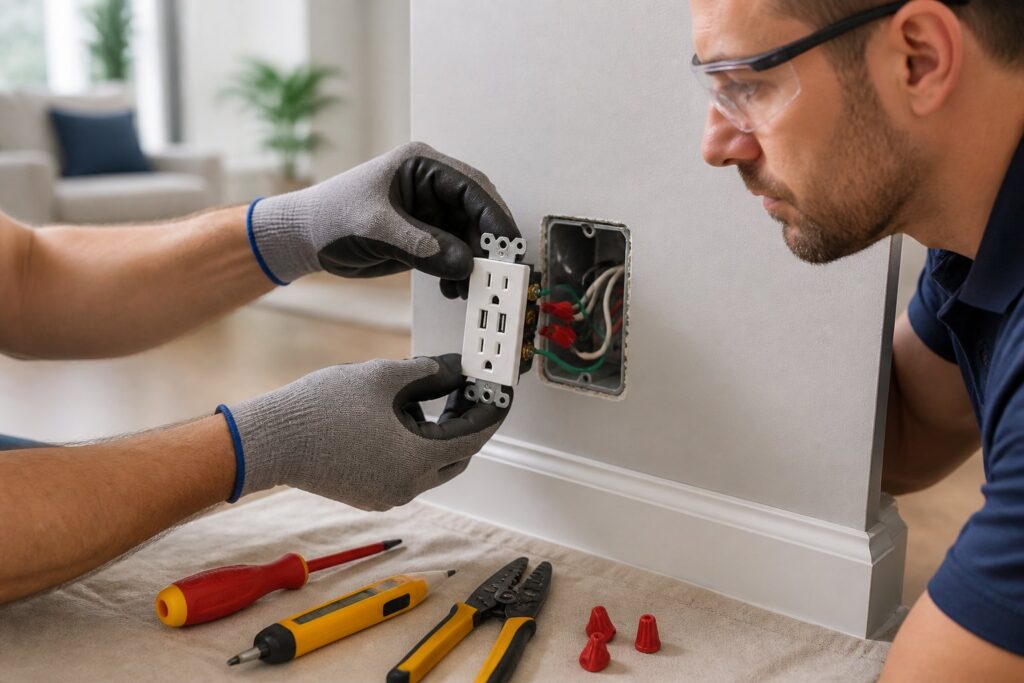
Installing USB wall outlets safely makes daily charging easier and cuts down on adapter clutter—especially in the rooms where you’re always plugging in phones, tablets, or smart gadgets. You can usually swap out an existing receptacle for a USB model, assuming the circuit, box, and wiring are up to the job.
The safest way is to match the outlet to the room, make sure the box and circuit can handle it, shut off power the right way, and test everything before you start plugging in. That helps you avoid loose connections, overheating, and code headaches.
Know When a USB Outlet Makes Sense
A USB receptacle is really for places where you charge low-voltage devices and want to free up standard plugs. It’s a convenience, not a solution for overloaded circuits or sketchy wiring.
Where USB Receptacles Really Shine
You’ll get the most out of them in bedrooms, home offices, kitchens, family rooms, or near entryways—basically, the spots where phones, tablets, earbuds, and smart speakers are always running low. Nightstands, desks, and kitchen counters are great locations, as long as code allows and there’s some protection if needed. Honestly, the best spots are wherever adapters pile up and cords don’t end up stretched across walkways.
Standard, USB-A, and USB-C—What’s the Difference?
A standard outlet just gives you 120-volt power. A USB outlet adds built-in charging ports. Older models use USB-A ports, which still work fine for most things, but newer USB-C models can charge faster and handle more devices.
If you want to be a little more future-proof, pick a USB-C combo outlet with clear charging specs. Some of these charge phones quickly but may not deliver the same juice for bigger devices, so check the output before you buy.
Check Circuit, Box, and Code Rules First
Before you start, make sure the setup can actually support the new outlet. A USB outlet might fit where a standard one was, but box size, circuit load, and local codes all matter.
Circuit Capacity and Load
USB outlets don’t draw much themselves, but they still need to go on a properly sized circuit. If the circuit already feeds heavy loads, and you’re seeing tripped breakers or heat at the outlet, that’s a red flag.
Check what else is running on that line and don’t add more if it’s already close to full. Not sure? Get an electrician to check if the circuit is a good fit.
Box Depth, Wire Count, and Fit
USB outlets are usually deeper than regular ones, so the box needs enough space for the device and the wires. Crowded boxes can pinch wires, strain terminals, and make things tough to secure.
Look for a box with enough cubic inches for all the wires, the device, and grounding. If the box is damaged, loose, or too shallow, replace or upgrade it before you move forward.
GFCI, AFCI, and Tamper-Resistant Requirements
Some spots—like kitchens, bathrooms, garages, or outdoor areas—need GFCI protection. Others might need AFCI, and most homes require tamper-resistant outlets now.
If the spot needs special protection, your USB outlet has to meet those rules too. Double-check local codes before you buy, because the right outlet in the wrong place can still fail inspection.
Gather Tools and Shut Off Power
Getting everything ready first makes the job smoother and safer. Grab your tools, then shut off power at the breaker before you even think about touching wires.
Tools and Safety Gear You’ll Need
You’ll want a voltage tester, screwdrivers, wire stripper, needle-nose pliers, and the new USB outlet. A flashlight helps in dark boxes, and insulated gloves don’t hurt.
Keep your screws and wire nuts organized—losing those halfway through is a pain. Snapping a quick phone pic of the old wiring layout is a lifesaver if things get mixed up.
Make Sure the Outlet’s Actually Off
Flip the right breaker, then test the outlet with a non-contact voltage tester or plug-in tester. Don’t trust the switch or labels alone—they’re wrong more often than you’d think.
Test the outlet, then check a known live outlet to be sure your tester works. If the receptacle still shows power, stop and find the right breaker before you touch anything.
Swap the Old Outlet for the New USB Model
When you know the power’s off, you can swap out the old device for your USB outlet. Take your time and keep the original wiring layout in sight until you’re sure where everything goes.
Take a Photo Before Disconnecting Wires
Snap a clear photo of the old outlet and wires before loosening anything. That quick reference can save you if labels are faded or a wire slips out.
Check if the wires are on side screws or back-wire clamps. If there are multiple wires on one terminal, make a note before you disconnect.
Match Up Line, Neutral, and Ground
Connect the hot wire to the brass or “line” terminal, neutral to the silver, and ground to the green screw. If the outlet has side labels, follow those.
Don’t just go by color if the wiring is old or has been messed with before. If you run into anything weird, stop and double-check before moving on.
Tuck It In and Finish Up
Fold the wires back into the box gently—don’t crush them. Set the outlet straight, tighten the screws, and make sure the face sits flush.
Install the cover plate, turn power back on, and keep your hands out of the way while you test the outlet. If the outlet feels loose or the plate sits crooked, go back and fix it.
Test Everything and Watch for Problems
Testing isn’t optional—it’s part of the job. You want both the regular plugs and the USB ports working before you call it done.
Confirm USB Charging and Regular Outlet Power
Plug in a charger or use a USB cable with your phone to make sure charging starts. Test the regular outlet with a lamp or outlet tester to check for power, too.
If the outlet has status lights, check those against the instructions. Make sure the outlet feels solid and the cover plate stays put.
Warning Signs to Watch For
Warm faceplates, buzzing, flickering chargers, or a breaker that trips right after installation—none of that is normal. If plugs fit loose or charging cuts in and out, you might have a bad connection.
If you smell burning, see discoloration, or notice heat building up, shut the breaker off immediately. Those are signs of a reversed connection, loose terminal, or a deeper issue.
Call a Pro for Tricky Situations
Some upgrades are simple, but not all. If the wiring is old, crowded, damaged, or just weird, it’s safer to call in a pro.
Old Wiring, Damaged Boxes, and Multi-Wire Circuits
Knob-and-tube, aluminum wiring, crumbly insulation, broken box tabs, and multi-wire branch circuits all make things riskier. These situations need extra testing and code checks before you even think about a new outlet.
If the box is loose or the wires look worn, you might be looking at a repair, not just a swap. That’s when it’s better to call a licensed electrician than try to force it.
Residential and Commercial Upgrades Across Central Texas
Magnify Electric is a solid pick if you want licensed electricians who do more than just outlet swaps—USB wall outlets, outlet services, automated lighting, ceiling fans, light switches, Lutron smart home systems, EV charging outlets and wall chargers, outdoor lighting, recessed lighting, TV installs, surge protectors, wiring, lighting upgrades, panel work, troubleshooting, generator hookups, smoke and CO₂ detectors, and general electrical improvements for homes and businesses. The crew also handles fixture replacements, commercial lighting, safety inspections, smart home integrations, and emergency electrical support across Spicewood, Austin, Bee Cave, Lakeway, Dripping Springs, Georgetown, Leander, Round Rock, Kyle, Cedar Park, Liberty Hill, Westlake, The Hills, Briarcliff, Horseshoe Bay, Sunset Valley, Hutto, and the rest of Central Texas.
Frequently Asked Questions
Do I need a special circuit or breaker to install a wall outlet with USB ports?
Most USB outlets can replace a standard one without a special breaker, as long as the circuit’s in good shape and not overloaded. The main thing is making sure the box, wiring, and protection for that spot are correct.
What safety steps should I take before replacing an existing outlet?
Turn off the breaker, check that the outlet is dead with a tester, and keep your tools dry and organized. Snapping a photo of the original wiring before you do anything is a great idea.
How can I tell whether my electrical box has enough space for a USB outlet?
See if the box is deep enough for the new device, the wire bends, and the extra space for terminals. If it’s already crowded or wires are tough to fold in, you probably need a deeper box.
Which wires go where when wiring a new USB wall outlet?
Usually, hot goes to the brass or line terminal, neutral to the silver, and ground to the green screw. Always check the markings on the device and match the existing layout before you tighten anything.
How do I confirm the outlet is grounded properly after installation?
Use an outlet tester after you turn the power back on to check grounding and basic wiring. If the tester shows an open ground or another fault, turn the breaker off and check the connection before you use the outlet.
When is it a good idea to call a licensed electrician instead of doing it myself?
Honestly, if your wiring looks ancient, the box seems sketchy, or the circuit’s already packed with stuff, it’s probably time to call in a licensed electrician. Same goes for outlets in weird spots—like bathrooms or outdoors—where codes get picky. And let’s be real: if you’re not totally sure about testing or figuring out which wire is which, there’s no shame in getting a pro to handle it.