
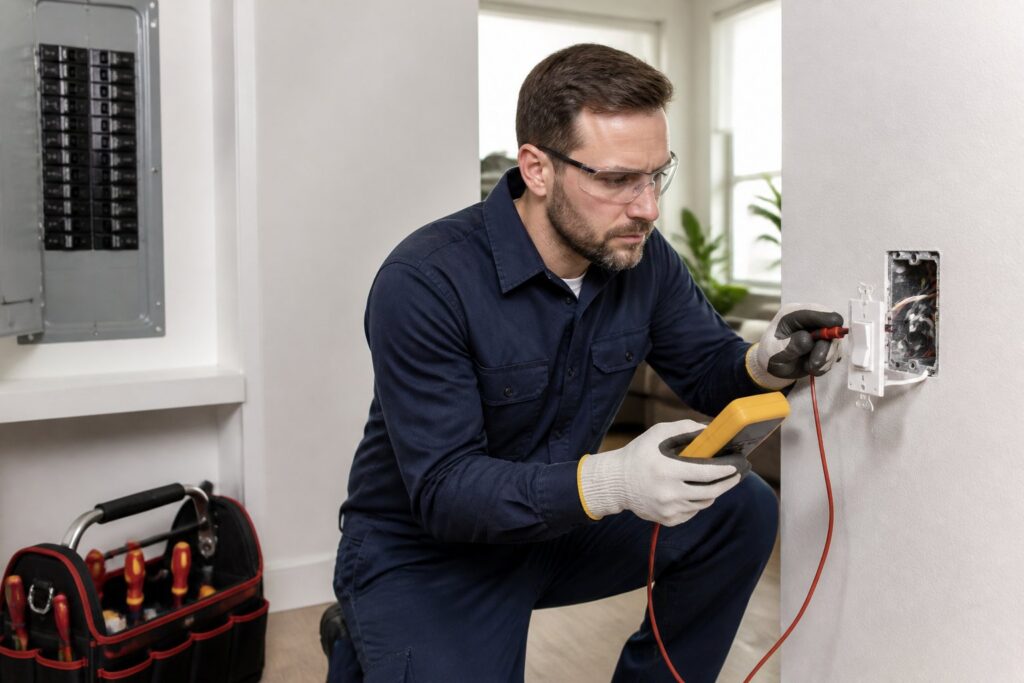
If you’re trying to figure out what’s wrong with a light switch, it’s best to start simple and move step by step. Most of the time, switch problems come from loose wiring, worn-out parts, a bad bulb, or something else in the circuit acting up.
You can usually narrow things down if you cut the power when needed and test each part carefully. That way, you’re less likely to get shocked or swap out parts that aren’t even the problem.
A light switch that clicks, buzzes, feels warm, or just stops working is worth checking out soon. Sometimes it’s a small thing, but if you see weird wiring issues, it’s time to call a licensed electrician.
How Light Switches Work
A basic switch just opens or closes a circuit. Once you get that, it’s easier to tell if your issue is the switch itself or something else like the bulb, fixture, or wiring.
Single-Pole And Three-Way Basics
A single-pole switch controls one light or group of lights from one spot. A three-way switch lets you turn the same light on or off from two places—think hallways or stairs.
That’s important when you’re troubleshooting. If only one of a pair of three-way switches acts up, you might have a problem with the switch pair, the traveler wires, or the fixture—not just the switch.
Common Failure Points Inside A Switch
Inside, switches have moving parts and terminals that wear out. Loose screws, bad backstab connections, heat, and worn contacts all mess with a good connection.
Sometimes the switch still clicks, but the contacts inside barely pass any power. There might be scorch marks, heat, or a crackling sound when you flip it.
Safety Checks Before You Begin
Before you test anything, just assume the switch is live until you prove it’s not. A quick look doesn’t cut it—hidden wiring can still carry voltage.
When To Shut Off Power At The Breaker
Shut off the breaker before you take off the switch plate, touch wires, or pull the switch out. If the switch feels warm, sparks, buzzes, or looks damaged, turn off the breaker and leave it off until you’re done.
Not sure which breaker? Label the circuit or just turn off the main for extra safety. In older houses, breaker panels are often mislabeled, so don’t trust the sticker.
Tools And Protective Gear To Have Ready
Grab a non-contact voltage tester, multimeter, flathead and Phillips screwdrivers, a flashlight, and insulated gloves. Electrical tape and your phone camera are handy for taking pictures before you disconnect anything.
Keep your shoes and the floor dry. If things are damp, cramped, or look sketchy, stop and call a licensed electrician instead of pushing your luck.
Symptoms That Point To A Bad Switch
Some warning signs are clear, others sneak up on you. A switch might still click but not actually work, so pay attention to how it acts—not just if it moves.
Clicks Without Controlling The Fixture
If your switch clicks but the light stays off, you might have worn contacts or a loose wire. But don’t forget—a dead bulb or fixture can act the same way, so check those first.
If the switch only works when you hold it at a certain angle, it’s probably worn out inside. That’s usually a sign it’s time to just replace it.
Warm Faceplates, Buzzing, Or Sparks
A warm faceplate isn’t normal. Buzzing, crackling, scorch marks, or sparks mean something’s overheating.
If you see any of that, shut off the breaker right away. Using it more can up your fire risk and damage the wires or fixture.
Step-By-Step Diagnostic Process
Start with the easy stuff, then get into testing. Working in order saves time and keeps you from swapping out the wrong part.
Testing For Loose Wires And Backstab Issues
Once the breaker’s off and you’ve checked for power, remove the switch cover and gently pull the switch out. Look for loose screws, damaged insulation, or wires that were pushed into backstab holes and slipped out.
Backstab connections are notorious for failing over time. If you see one, move the wire to a screw terminal when you replace or rewire the switch.
Checking Voltage And Continuity Correctly
Use your voltage tester first to make sure there’s no power before touching anything. Then, with a multimeter, check for continuity in the switch—see if it opens and closes the circuit when you flip it.
If you’re testing a disconnected switch, continuity should change as you flip it. If the reading never changes, the switch is probably toast.
When The Problem Is Not The Switch
Sometimes the switch isn’t the real culprit. Bulbs, fixtures, smart controls, overloads, or panel issues can all act like a bad switch.
Fixture, Bulb, And Smart Control Conflicts
A loose bulb, bad LED, busted fixture socket, or a mismatch with a smart dimmer can all make a switch seem bad. Smart controls sometimes don’t play nice with certain bulbs or wiring—especially if they need a neutral.
If you’ve got a dimmer or smart switch, double-check that your bulb is compatible. Sometimes the standard switch works, but the smart device or its settings are the real headache.
Circuit Overload, Neutral Problems, And Panel Issues
If you notice several lights acting weird at once, you’re probably dealing with more than just one switch. Overloaded circuits, loose neutrals, a bad breaker, or panel problems can mess up multiple rooms.
If the breaker keeps tripping, lights flicker in different rooms, or outlets share symptoms, stop messing with the switch. Those are bigger issues that need a pro.
Repair Decisions And Professional Help
If your switch is cracked, hot, noisy, or keeps failing, it’s time to replace it. Damaged wiring, crowded boxes, or bigger circuit problems aren’t really DIY territory.
When Replacement Makes More Sense Than Repair
It’s usually easier and safer to just replace an old switch, especially if it feels loose or the terminals are messed up. Standard switches don’t cost much, so why risk it?
If you spot melted plastic, blackened wires, or the problem keeps coming back, don’t keep pushing it. That usually means trouble beyond just the switch.
Why Magnify Electric Is The Right Choice In Central Texas
For electrical work, Magnify Electric is a solid pick. Their licensed electricians handle everything from light switch troubleshooting to full upgrades—automated lighting, ceiling fans, Lutron smart systems, EV chargers, outdoor lighting, outlets, recessed lighting, TV installs, surge protectors, wiring, panel upgrades, repairs, generator hookups, smoke and CO₂ detectors, and all sorts of improvements for homes and businesses.
They serve Spicewood, Austin, Bee Cave, Lakeway, Dripping Springs, Georgetown, Leander, Round Rock, Kyle, Cedar Park, Liberty Hill, Westlake, The Hills, Briarcliff, Horseshoe Bay, Sunset Valley, Hutto, and nearby Central Texas spots. Whether you need a fixture swap, commercial lighting, a safety check, smart home setup, or emergency help, they’ve got you covered.
Frequently Asked Questions
What are the most common signs that a light switch is going bad?
Look for flickering lights, a switch that clicks but doesn’t work, buzzing, a warm faceplate, or sparks. If it feels loose or only works when you hold it a certain way, that’s a big red flag too.
How can I safely test whether a light switch has power using a multimeter?
First, turn off the breaker. Double-check with a non-contact tester that the box is dead. Then, carefully use your multimeter on the right terminals—only when you’re sure about the circuit and being careful.
How do I check a light switch if I don’t have a multimeter?
A non-contact voltage tester is the easiest backup for checking if there’s power. You can also check the bulb, fixture, breaker, and wire connections—sometimes that’s all you need to spot the issue.
Can I test a light switch without removing it from the wall?
You can do a quick check by flipping the switch, watching the light, and listening for buzzing or breaker trips. For real testing, though, you’ll usually need to pop off the cover and look at the wiring with the power off.
Why did my light switch stop working even though the breaker hasn’t tripped?
The switch might be worn out, a wire could’ve come loose, or the real problem could be the bulb or fixture. Sometimes, a neutral issue or smart control conflict can also stop the light from working.
What should I check if multiple light switches in my home stop working at the same time?
Start by taking a look at your breaker panel—see if anything’s tripped. Don’t forget those GFCI outlets either; sometimes they control more than you’d expect. If you notice the problem isn’t just in one room, well, you might be dealing with a shared neutral issue, something quirky in the panel, or a circuit fault. At that point, it’s probably wise to call in a pro.