
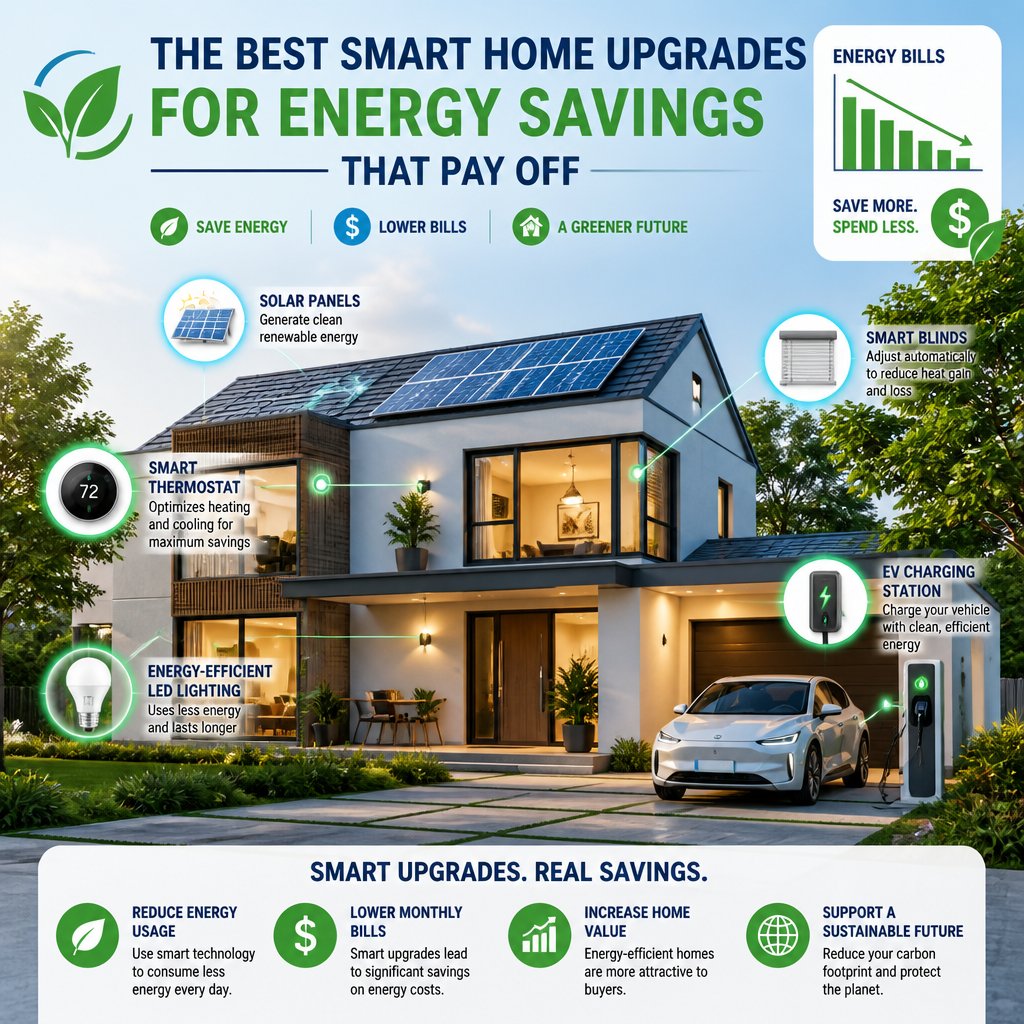
If you’re after the best smart home upgrades for energy savings, it makes sense to start with devices that cut waste day in and day out—not just flashy gadgets. The biggest wins? Usually, it’s better control of heating, cooling, lighting, and standby power. That’s where most homes quietly bleed money every month.
The upgrades that save the most are the ones that fit your habits, protect your electrical system, and let you use less energy without having to think about it. That’s why the best results usually come from a mix of smart controls, solid planning, and safe installation.
For homeowners and business owners in Austin, Bee Cave, Lakeway, Round Rock, and nearby Central Texas towns, getting this mix right matters even more. Hot summers, long AC seasons, and older electrical setups mean small inefficiencies can stack up fast. The right upgrades can pay off in comfort, safety, and lower utility bills.
How Smart Upgrades Lower Utility Costs
Smart upgrades help you control when equipment runs and how hard it works. They also catch waste you’ll miss if you’re just relying on memory.
A good setup isn’t just about convenience. It helps your home or building use power only when it’s needed. That can make a real dent in your monthly bills.
Where Homes Commonly Waste Electricity
Most energy loss comes from heating and cooling, old lighting, and electronics that sit in standby all day. Thermostats get set too high or low, lights stay on in empty rooms, and plug-in devices sip power even when you’re not using them.
Worn equipment can also waste energy. A fan, water heater, or printer that runs longer than necessary can quietly bump up your usage—nobody really notices until the bill comes.
What Automation Does Better Than Habits Alone
Good habits help, but automation is way more consistent. A smart thermostat adjusts temperatures when you leave, smart lighting shuts off on a schedule, and smart plugs cut power to stuff that doesn’t need to run all night.
That kind of control takes out the guesswork, and it really helps when your routine changes. Busy homes and small businesses aren’t always great at checking every switch.
High-Impact Devices Worth Considering First
Start with the devices that control the biggest energy users. If you want payback faster, focus on climate control, lighting, and anything that runs for hours at a time.
These are the upgrades I usually recommend first—they’re practical, easy to use, and you can expand them later without much hassle.
Smart Thermostats
Smart thermostats are often the first upgrade to consider since heating and cooling eat up so much electricity. They learn your patterns, adjust automatically, and make it easier to stop wasting energy when nobody’s home.
In Central Texas, that’s a big deal. A well-set thermostat helps your AC cycle more efficiently during those long, hot stretches in Austin, Cedar Park, Leander, and the rest.
Smart Lighting Controls
Smart switches, dimmers, and motion-based controls can seriously cut wasted lighting time. They’re especially handy in hallways, bathrooms, garages, break rooms, and outdoor spaces where lights get left on by accident.
LED bulbs plus smart controls? That’s the sweet spot. You use fewer watts and rack up fewer unnecessary hours.
Smart Plugs And Load Management
Smart plugs are an easy way to stop phantom power draw from TVs, printers, chargers, and small appliances. You can run them on schedules, and they’ll shut off stuff that doesn’t need to stay powered all day.
Load management helps in home offices and small businesses too. If you’ve got several devices on one circuit, smart control helps organize usage and avoid waste—without changing your routine.
Connected Water Heater Controls
Water heater controls save energy by limiting heating during low-use hours. That’s especially helpful if your hot water needs change a lot from day to day.
These controls work best when the water heater and electrical setup are in good shape. Poor installation can eat into savings, so it’s worth pairing the device with solid wiring and safe circuit planning.
Electrical Improvements That Support Better Results
Smart devices work best when the electrical system behind them can handle the load. If your wiring, panel, or switches are outdated, you might see smaller savings or even run into glitches.
Support upgrades improve reliability, cut down on troubleshooting, and make it easier to add new devices later.
Panel Capacity And Circuit Planning
If your panel’s nearly full, smart upgrades could strain the system instead of helping. An already crowded panel makes it tough to add smart thermostats, EV chargers, lighting controls, or whole-home energy devices down the road.
Circuit planning matters too. Grouping the right loads and avoiding overloaded circuits keeps things safe and delivers better performance from your devices.
Outlet And Switch Updates
Old outlets and switches can create weak spots in a smart setup. Loose devices or worn contacts make smart controls unreliable and tricky to install.
Replacing key outlets and switches makes rooms feel more responsive right away. Plus, it gives you a cleaner path for lighting controls, occupancy sensors, and app-based setups.
Wiring Condition And Compatibility
Wiring condition is everything. If it’s old, damaged, or not compatible with your smart device, the upgrade might just not work.
I’ve seen smart switches fail because the box wiring wasn’t right for the device. A quick inspection before you start can save a lot of time and headaches.
Safety, Reliability, And Installation Mistakes To Avoid
Don’t trade safety for energy savings. A poorly installed smart device can overheat, stress a circuit, or fail when you need it most.
The most common problems? They’re pretty easy to dodge if you plan ahead and match upgrades to the right circuit.
Overloaded Circuits And Hidden Power Draw
An overloaded circuit can make a smart upgrade less effective and less safe. Too many devices on one circuit? The breaker might trip, or the wiring could run hotter than it should.
Hidden power draw is another headache. Some devices keep sipping electricity even when they look off. You’ll want a real plan for what stays on and what shuts down.
When DIY Creates Performance Problems
Some smart devices are simple to install, but others need more than just a swap. If a switch needs a neutral wire, special load handling, or changes inside the panel, a quick DIY job can backfire.
The most common issues I see: pairing problems, poor placement, or devices that never get programmed right. A rushed install leaves you with a gadget that looks smart but doesn’t actually save much.
Why Surge Protection Matters For Smart Devices
Smart home gear is sensitive to power spikes. A surge can fry thermostats, hubs, switches, and other controls—especially during storms or utility switching.
Whole-home surge protection shields those devices and can save you from repair calls later. It’s a smart add-on in Central Texas, where weather and power events can be rough on electronics.
Choosing Upgrades For Central Texas Homes And Small Businesses
Central Texas homes and businesses face heavy cooling demands most of the year. So energy-saving upgrades need to work with local conditions. That means focusing on climate control, lighting, and electrical reliability first.
The best pick for a home in Dripping Springs isn’t always the same as what works for a retail spot in Round Rock or an office in Westlake.
Cooling Demands In Austin-Area Properties
In Austin-area homes, cooling eats up a big chunk of electricity. Smart thermostats, ceiling fan controls, and zoning-friendly upgrades can help your system run less during those long, hot stretches.
If your AC never seems to quit, you’ll probably save most by improving scheduling and tightening up temperature control. That’s especially useful in places like Lakeway, Bee Cave, and Spicewood, where big homes might have rooms sitting empty most of the day.
Retrofit Priorities For Older Buildings
Older buildings usually need electrical basics handled before smart devices make sense. I’ll look at wiring condition, panel space, switch compatibility, and lighting layout before suggesting any automation.
A solid retrofit starts small. Swapping old lighting for efficient LEDs, updating switches, and adding controls in the most-used spaces usually pays off more than trying to automate everything at once.
When Commercial Spaces Benefit From Automation
Small businesses can get a lot out of lighting schedules, occupancy sensors, and smart HVAC controls. These upgrades cut wasted runtime in offices, shops, studios, and service spaces with regular hours.
Automation also keeps things consistent. If staff forget to turn stuff off, the system can handle it and keep energy use steadier day to day.
When Professional Electrical Help Makes Sense
Some smart upgrades are a breeze. Others really should be left to a licensed electrician—especially if you’re touching panels, wiring, or safety devices.
A professional inspection can also spot issues that are costing you money before you buy new gear.
Signs An Inspection Should Come First
If breakers trip a lot, lights flicker, outlets feel warm, or a circuit seems overloaded, get an inspection first. Those are signs the system needs work before any smart upgrades.
You’ll also want help if your home has old wiring, a packed panel, or unknown previous work. That’s especially true in older Austin, Hutto, and Georgetown homes.
Projects That Usually Need Licensed Installation
Panel upgrades, new circuits, EV charger installs, surge protection, and many smart switch setups should go to a licensed electrician. Same goes for anything involving the panel or wiring behind walls.
Licensed work keeps the system running right and lowers the chance of costly rework. It also makes it easier to add more smart gear later.
How To Think About Long-Term Return On Investment
The best return isn’t always the cheapest upfront price. A worthwhile upgrade should cut waste, last for years, and actually fit how you live or work.
If a device saves a little energy but causes constant headaches, it’s not worth it. I’d go for upgrades that give steady savings, better control, and fewer service calls over time.
Frequently Asked Questions
Which smart home upgrades usually cut energy bills the most?
Smart thermostats usually top the list since heating and cooling use so much energy. Smart lighting controls and smart plugs are also solid picks, especially for quick savings from everyday habits.
What are the biggest hidden energy drainers in a typical home?
Standby power from TVs, chargers, printers, and other electronics is a big one. Old lighting, poorly set thermostats, and equipment that runs too long are also major culprits.
Do smart thermostats really save energy, and how much can they save?
They do, as long as they’re set up well and used regularly. Savings depend on your home, insulation, climate, and daily routine. You’ll usually get the best results by combining a smart thermostat with good scheduling and regular maintenance.
Which smart lighting features make the biggest difference for reducing electricity use?
Motion sensors, timers, dimmers, and auto shutoff schedules make the biggest impact. Pairing those with LED bulbs gives you the most savings since the lights use less power and stay on less.
What should I look for in a smart home hub to manage energy-saving devices easily?
Pick a hub that works with what you already have, offers a simple app, and lets you build schedules without a lot of fuss. Reliable compatibility is way more important than fancy features you’ll never use.
How can I set up automations and schedules that reduce energy use without sacrificing comfort?
Honestly, it makes sense to start with the rooms and devices you barely touch. Why waste energy there? From there, just layer on more as you figure out what works. Here’s the trick: set up automations that actually fit your daily habits, not ones that fight them. That way, your system cuts down energy but still keeps things comfy when you actually care.