
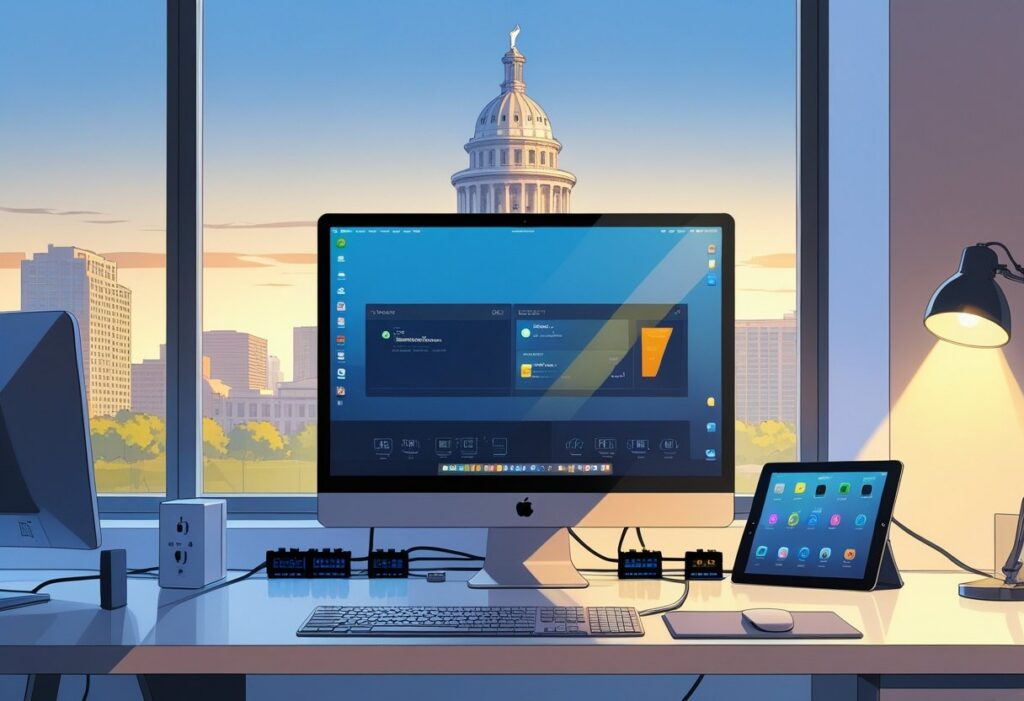
You want a home office that just works—powered up, safe, and ready for whatever your day throws at you. A smart electrical setup means enough outlets, reliable lighting, and smart upgrades so your office keeps you productive, not frustrated. Let’s go through some practical steps for planning wiring, picking fixtures, boosting energy efficiency, and keeping things safe in Austin-area homes.
Magnify Electric sends licensed electricians for everything—extra outlets, recessed and automated lighting, Lutron smart systems, EV chargers, whole-home surge protection, panel upgrades, generator hookups, smoke and CO₂ detectors, and full wiring services. We serve Spicewood, Austin, Bee Cave, Lakeway, Dripping Springs, Georgetown, Leander, Round Rock, Kyle, Cedar Park, Liberty Hill, Westlake, The Hills, Briarcliff, Horseshoe Bay, Sunset Valley, Hutto, and surrounding Central Texas spots. We handle anything from fixture swaps to commercial lighting, smart home integration, safety inspections, and emergency support.
If you’re planning your layout, choosing the right components, or looking to hire pros who follow code and protect your gear, you’re in the right place.
Essential Electrical Requirements for Home Offices
You’ll need enough outlets, safe circuit capacity, and a plan for load distribution so your computers, monitors, printers, lamps, and chargers don’t trip breakers or force you into a tangle of extension cords.
Determining Power Needs
First, list every device you’ll run: desktop or laptop, monitor(s), printer, modem/router, phone/tablet chargers, task lamp, maybe a heater or fan. Check the wattage or amps for each item (labels or manuals help here). Add a 20–25% buffer for those days you plug in something extra, like a space heater or a power tool.
A quick table helps:
- Device — Wattage/Amps
- Desktop PC — 300 W
- Monitor — 35 W
- Printer — 100 W
- Router — 10 W
Add up the watts, then convert to amps (Amps = Watts ÷ 120V in the U.S.). Compare your total to the usual circuit limits. If you’re getting close to 80% of a 15A or 20A circuit, it’s time to spread out your equipment or add dedicated circuits.
Dedicated Circuits for Workspaces
Put high-draw or important equipment on its own circuit. Desktops, laser printers, and space heaters should get their own 20A line. This avoids overloads and keeps your data safe if something trips. If you put lighting on a separate circuit, a tripped breaker won’t leave you in the dark.
Label your panel clearly. Consider a UPS (uninterruptible power supply) for desktops and networking gear to save you from brief outages. Magnify Electric’s licensed electricians install dedicated circuits, EV charging outlets, and surge protectors to keep your workspace humming.
Load Calculation and Distribution
Balance your circuits. Start with your main panel’s rating, then list each branch circuit’s load. Stick to the NEC guideline: don’t load a circuit above 80% for continuous use. For a 20A circuit at 120V, that’s 1,920W continuous.
Spread out your devices: heavy hitters like printers or heaters go to dedicated circuits; PC plus monitor can share a 20A circuit if you’re under 1,920W. Lighting and smaller stuff can stay on general-purpose or lighting circuits. If your panel’s old or packed, think about a panel upgrade.
Magnify Electric covers panel upgrades, wiring, recessed lighting, outlet services, and emergency support all over Austin and Central Texas. They’ll handle anything from a quick fixture swap to full commercial lighting and smart home upgrades.
Planning Your Home Office Electrical Layout
You’ve got to think about where you need power, light, and clean cable runs. Place outlets and lights to match your desk, monitor setup, and the printers or chargers you use daily.
Optimal Outlet Placement
Put outlets within 2 feet of each desk edge so you can plug in monitors, laptops, and docking stations without stretching cords everywhere. Heavy-draw gear like desktops, laser printers, or battery chargers need dedicated 20-amp circuits to avoid tripping breakers. Put at least two duplex outlets on each wall you might use, and add one above desk height for wall-mounted monitors or TVs. If you need fast vehicle charging, consider a wall-mounted charger or EV outlet in your garage or carport. Label your panel for easy troubleshooting later.
Cable Management Solutions
Use raceways or in-wall cable paths to keep Ethernet, HDMI, and power separate and neat. Run Cat6 (or better) Ethernet to your desk for stable video calls and fast file transfers. Mount a patch panel or keystone jack in a closet or under your desk to keep connections tidy. Velcro straps and under-desk trays help bundle cables and make changes painless. For wireless gear, put your router high and near the center of your office to avoid dead zones. For surge protection, go for a whole-home surge protector at the panel and a surge strip at your desk.
Lighting Considerations
Task lighting should sit 12–18 inches from your work surface to keep your eyes happy. Adjustable LED desk lamps give you bright, cool light for focused work. Try dimmable overhead fixtures with a separate switch for ambient lights, so you can set the mood or cut screen glare. Recessed lighting with layered switches and a mix of warm and cool color temperatures works well—warm for comfort, cool for focus. Want smart control? Lutron systems let you set scenes and automate schedules. For outdoor work areas or entries, motion-activated fixtures help with safety and visibility.
Magnify Electric’s licensed electricians handle residential and commercial jobs across Central Texas. They’re the ones to call for reliable installs, troubleshooting, and upgrades—whether you need a simple fixture swap or a full smart home setup.
Choosing the Right Electrical Components
Pick parts that protect your gear, give you steady power, and fit your space. Focus on surge protection, solid power strips, and UPS units that match your setup.
Surge Protection Options
Sensitive stuff like computers, monitors, and routers need a whole-home surge protector at your panel plus surge devices at your desk. Whole-home protectors block big spikes from outside (think lightning or grid surges). Desk-level protectors add a second layer for your work gear.
Look for surge protectors with clamping voltage under 400V, a joule rating over 1,000, and indicator lights so you know they’re working. Replace them after a big surge or if the indicator fails. If you want a panel-mounted option, Magnify Electric’s electricians can install and advise on placement.
Reliable Power Strips
Don’t just grab the cheapest strip. Choose one with built-in surge suppression, a heavy-duty cord (at least 14 AWG for high-draw gear), and a grounded plug. Skip the ones without thermal fuses or overload protection.
Mountable strips keep cables tidy and help avoid tripping behind your desk. For multi-monitor or dual workstations, use strips with spaced outlets for big adapters. If a strip feels hot, smells weird, or trips often, replace it. Need help adding outlets or sizing circuits? Magnify Electric can handle it.
Uninterruptible Power Supplies (UPS)
A UPS keeps your stuff running during short outages and gives you time to save work and shut down. For a single desktop and monitor, shoot for 600–1,000 VA, and go for pure sine wave if your gear is sensitive. For small server racks or networking, 1,000–2,000 VA is better.
Check how easy it is to replace the battery, and look at real runtime for your load—not the max. Features to look for: AVR (automatic voltage regulation), LCD status, and network connectivity for graceful shutdowns. Magnify Electric’s techs can help size your UPS, install dedicated circuits, and support UPS integration with smart home setups or small business offices.
Safety Measures for Home Office Electrical Systems
Keep your power use balanced and make sure outlets and protection devices actually work. Good placement, surge protection, and professional wiring cut fire risk and protect your gear.
Preventing Overloads
Check your circuit’s amp rating before you plug in more devices. Don’t run high-draw stuff like space heaters or window AC units on the same line as your computer and monitor.
Use a power strip with built-in surge protection and a resettable breaker for multiple devices. Never daisy-chain strips. Label your breaker panel so you know what’s what.
If you need more outlets, add dedicated circuits or a local outlet with USB ports. For big needs—EV chargers, server racks, lots of monitors—schedule a panel upgrade or new circuit. Magnify Electric’s team handles panel upgrades, outlets, and surge protectors to keep you safe.
Grounding and GFCI Outlets
Make sure all your workstations and racks use grounded (three-prong) outlets. Missing grounds can shock you or fry your electronics. Use a basic tester to check for open grounds or wiring faults.
Install GFCI outlets anywhere moisture might show up—near windows, garages, or if your office shares space with a kitchen or utility room. GFCIs trip fast to prevent shocks. Replace old two-prong outlets and add GFCIs on circuits serving outdoor outlets, exterior lights, or anywhere near water.
For wiring faults or repeated tripping, call a pro. Our team handles wiring, troubleshooting, repairs, smoke and CO₂ detector installs, and emergency support across Austin, Spicewood, Bee Cave, Lakeway, Dripping Springs, Georgetown, Leander, Round Rock, Kyle, Cedar Park, Liberty Hill, Westlake, The Hills, Briarcliff, Horseshoe Bay, Sunset Valley, Hutto, and nearby Central Texas spots. Magnify Electric’s licensed electricians tackle both small fixes and full upgrades, always up to code.
Hiring Professional Electricians in Austin, TX
Find a licensed electrician who can handle anything—new home office circuits, EV charger installs, or smart lighting. Look for quick response, clear pricing, and experience with both homes and businesses in Central Texas.
Benefits of Local Experts
Local electricians know Austin’s quirks—old bungalows, new builds, and everything in between. They’ll install and service what you need: automated lighting, ceiling fans, switches, Lutron smart systems, recessed lighting, TV installs. That local know-how means faster fixes and fewer callbacks.
You get fast help for outdoor lighting, outlet repairs, surge protectors, and generator hookups. Local teams also support EV charging, panel upgrades, and emergency repairs when you need them most.
Magnify Electric’s licensed electricians cover homes and businesses, from quick fixture swaps to full upgrades, commercial lighting, safety inspections, and smart home setups.
Austin, TX Licensing and Codes
Always hire electricians with valid Texas licenses who actually know Austin’s permitting process and the National Electrical Code. Licensed pros pull permits for panel upgrades, new circuits, and permanent EV charger installs, so city inspectors can check for safety.
Ask them for proof of license, insurance, and examples of similar jobs. Make sure they understand Austin’s rules for smoke and CO₂ detectors, outdoor lighting, and commercial wiring. This isn’t just about following the law—it protects your property and helps with insurance and resale down the road.
Magnify Electric’s team handles all the right permits and sticks to code in Austin and nearby towns like Spicewood, Bee Cave, Lakeway, Dripping Springs, Georgetown, Leander, Round Rock, Kyle, Cedar Park, Liberty Hill, Westlake, The Hills, Briarcliff, Horseshoe Bay, Sunset Valley, Hutto, and more.
Energy Efficiency Upgrades for Home Offices
Cutting energy use and lowering bills isn’t rocket science. Go for efficient lighting and smarter temperature control. LEDs and smart thermostats make a real difference—less power, better comfort.
LED Lighting Solutions
Switching to LED bulbs and fixtures can reduce lighting energy by up to 75% compared to old incandescents. Look for LEDs in the 3000K–4000K range for a neutral, office-friendly glow that won’t fry your eyes. Dimmable LEDs and compatible switches let you dial light levels up or down and save even more.
Try recessed LED cans or panel fixtures for even, glare-free light. Add a desk lamp with adjustable brightness for focused work—no need to blast the overheads all day. In rooms you barely use, motion sensors or timers keep lights off unless you’re there.
Magnify Electric’s licensed electricians handle LED retrofits, dimmer switches, and automated lighting controls for homes and businesses all over Austin and the surrounding area. They’ll swap old fixtures, install recessed lighting, and set up smart systems that work with Lutron and other platforms.
Smart Thermostats and Controls
A smart thermostat lets you schedule heating and cooling around your work hours—so you’re not wasting energy when you’re away or on a break. With geofencing and occupancy sensors, you don’t have to fiddle with settings all day; the system just follows your routine.
If your home office is off on its own, zoning or a smart vent system helps you heat or cool only the space you’re using. Pair it with ceiling fan controls and motorized shades for comfort with less HVAC run time.
Magnify Electric installs smart thermostats, wiring for zone controls, and can tie these into whole-home systems. They serve Austin, Spicewood, Bee Cave, Lakeway, Dripping Springs, Georgetown, Leander, Round Rock, Kyle, Cedar Park, Liberty Hill, Westlake, The Hills, Briarcliff, Horseshoe Bay, Sunset Valley, Hutto, and other Central Texas spots—residential or commercial.
Maintaining Your Home Office Electrical Setup
Keep an eye on outlets, lighting, breakers, and surge protection. Don’t ignore cords or detectors—test them, replace when worn, and plan upgrades so you’re not caught off guard by outages or safety issues.
Routine Inspection Tips
Every three months, check outlets and cords for loose plugs, scorch marks, or warmth. Replace any frayed cords immediately—never run cables under rugs.
Test GFCIs and smoke/CO₂ detectors monthly. Hit the test button and swap batteries if needed.
Twice a year, open your breaker panel. Watch for tripping circuits and label any mystery breakers. If a breaker feels hot or keeps tripping, call a pro.
Protect computers and routers with a whole-home surge protector or high-quality surge strips.
If you’ve got EV equipment or a wall charger, check the outlet and cable for wear and solid mounting. For automated lighting, test switches and smart hub connections regularly.
Troubleshooting Common Issues
Lights flickering when you run big appliances? Probably overloaded circuits. Move devices around or use different outlets to spread the load.
If an outlet dies, test it with something you know works. If nearby outlets are also out, check the breaker or GFCI. Reset them before calling for help.
Frequent breaker trips? List what’s plugged in and their wattages. Sometimes it’s as simple as rearranging devices or upgrading the circuit. Magnify Electric’s licensed electricians handle panel upgrades, wiring fixes, and load calculations.
Smart home acting up? Reboot hubs and update firmware. If lighting or Lutron systems still glitch, have a pro check the wiring and network setup.
Smell burning or see sparks? Cut power and call emergency support immediately. Our team serves Austin, Spicewood, Bee Cave, Lakeway, Dripping Springs, Georgetown, Leander, Round Rock, Kyle, Cedar Park, Liberty Hill, Westlake, The Hills, Briarcliff, Horseshoe Bay, Sunset Valley, Hutto, and nearby Central Texas communities with rapid repairs, safety checks, and full electrical solutions.
Future-Proofing Your Home Office in Austin, TX
Think ahead about wiring, outlets, and smart controls. Planning now means fewer headaches (and bills) later. Consider power needs, network reliability, surge protection, and smart integrations that match how you’ll use the space for the next 5–10 years.
Planning for Equipment Expansion
Picture what you might add—extra monitors, a desktop PC, NAS, big printer, maybe even an EV charger. Install at least one dedicated 20-amp circuit for high-draw stuff, and put a couple of duplex outlets by your desk so you’re not stuck with power strips. Place outlets at both sitting and standing desk heights if that’s your setup.
Hardwired Ethernet and a UPS for your main workstation and modem/router keep you up and running during blips. If your panel’s old or nearly full, upgrade it now to make room for future breakers. Magnify Electric’s team does panel upgrades, wiring, and whole-home surge protectors for sensitive gear and future growth.
Integrating Smart Home Technology
Go for smart systems that mix wired and wireless. Hardwired Lutron controls for lighting and dedicated ceiling fan switches are reliable. Put smart switches and dimmers in your main work zones, and use scene controls for task, video calls, and ambient lighting.
Set up a centrally located hub or wired backbone for mesh Wi‑Fi—nothing’s worse than dropped calls or laggy smart speakers. Add surge protection at both the panel and outlet to keep your devices safe. Magnify Electric installs Lutron systems, automated lighting, outlets, recessed lighting, and surge protectors, and can tie these into residential or commercial offices all over Austin, Bee Cave, Lakeway, Round Rock, Georgetown, and more.
Frequently Asked Questions
Here’s what folks usually want to know—practical steps, typical costs, recommended electricians, permit rules, safety tips, and inspection schedules for a safe, code‑compliant home office setup in Austin and Central Texas.
What should I consider when setting up electricity for my home office in Austin?
Count up how many devices you’ll have running: computers, monitors, printers, chargers, modem/router, you name it. Plan dedicated circuits for high-draw stuff like space heaters or EV chargers to avoid tripping breakers.
Put outlets where you actually need them—no one likes crawling under a desk for a power strip. Add USB or data ports if you’re charging lots of mobile gadgets. Surge protection is a must, both at the outlet and whole-home level, especially for storms.
Lighting matters too. A mix of overhead, task, and adjustable fixtures helps reduce eye strain. Smart lighting and automation? Worth considering if you want scheduling, dimming, or scene control.
How much does it typically cost to wire a home office by a licensed electrician in Austin?
Basic outlet and fixture installs for a small room usually run a few hundred bucks. If you add dedicated circuits, data drops, or smart home systems, expect costs in the low thousands.
Full rewiring or panel upgrades can hit several thousand, depending on panel size, permits, and how much drywall or trim needs to come out. Always ask for a detailed, itemized quote before work starts.
Can you recommend some of the best electrical companies for home offices in Austin, TX?
Look for licensed, insured electricians with local experience and solid reviews. Magnify Electric’s a strong pick—our licensed team handles everything from simple fixture swaps to full upgrades, both residential and commercial.
We install automated lighting, Lutron systems, EV charging, outdoor and recessed lighting, surge protection, panel upgrades, troubleshooting, portable generator hookups, smoke and CO₂ detectors, and more. We serve Austin, Spicewood, Bee Cave, Lakeway, Dripping Springs, Georgetown, Leander, Round Rock, Kyle, Cedar Park, Liberty Hill, Westlake, The Hills, Briarcliff, Horseshoe Bay, Sunset Valley, Hutto, and the rest of Central Texas.
Do I need a permit for home office electrical work in Austin and how do I obtain one?
Most new circuits, panel upgrades, or major wiring changes need a permit from the City of Austin or your county if you’re outside city limits. Small repairs or fixture swaps might not, but double-check with the building department.
You or your electrician can apply online through the City of Austin Development Services or the county portal. Licensed electricians usually handle permits and inspections as part of the job.
What are the safety standards for a home office electrical setup in Austin?
Follow the National Electrical Code (NEC) and Austin/Travis County amendments. That means properly sized breakers, correct grounding, GFCI protection where needed, and AFCI protection for bedroom and office circuits.
Use listed equipment and tamper-resistant outlets. Install whole-home surge protection and smoke/CO₂ detectors per code. For panel work or new circuits, always hire a licensed electrician.
How often should the electrical systems in my Austin home office be inspected?
It’s a good idea to have a licensed electrician check your home office wiring every 3–5 years—or sooner if you start seeing flickering lights, breakers tripping more than usual, or outlets that feel a bit too warm. If you’ve just finished a big renovation or added something hefty like an EV charger or a whole-home generator, that’s another time to call someone in.
Try to get ahead of storm season with a preventive inspection. Staying on top of this stuff can really cut down your fire risk and help your equipment last.