
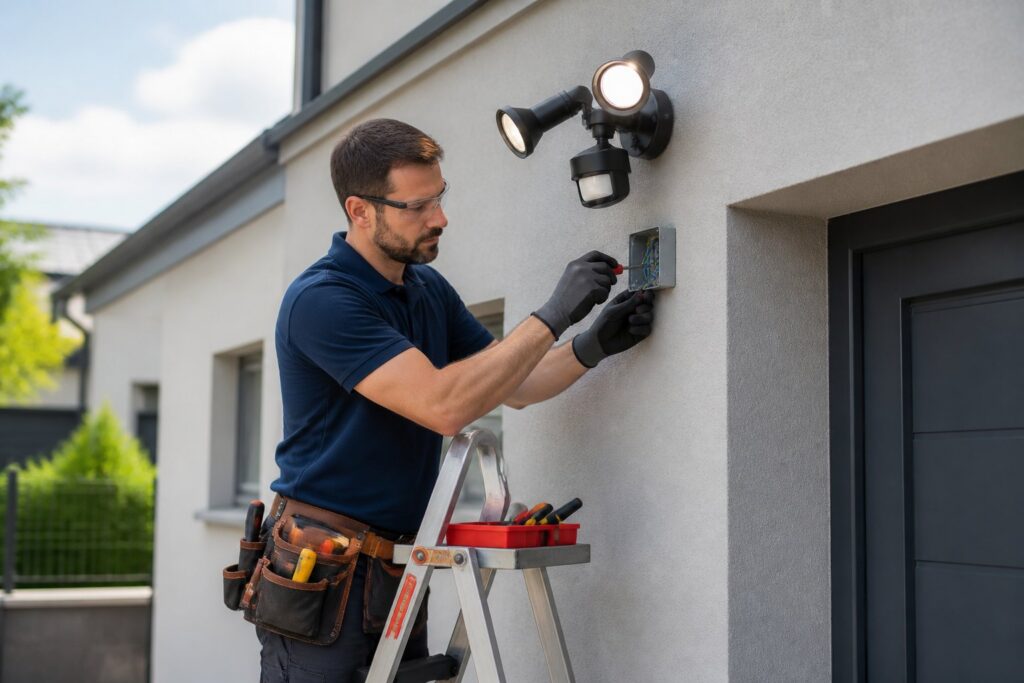
Looking for brighter, safer outdoor spaces in Dripping Springs but don’t want to waste energy? You can cut nighttime risks and lower your power use by installing motion sensor lights in the right spots. Magnify Electric’s licensed electricians handle everything from a quick fixture swap to full automated lighting setups.
Here’s how to pick the right sensors, prep your site, and install or connect lights with smart systems so your yard, driveway, or business works the way you want. Magnify Electric serves Dripping Springs and nearby Central Texas communities with expert work on automated lighting, Lutron smart home systems, EV charging outlets, outdoor lighting, panel upgrades, surge protection, wiring, ceiling fans, and more.
Whether you want a quick fix or a big electrical upgrade, the team can do the job safely and up to code—from troubleshooting annoying problems to handling emergency support.
Benefits of Motion Sensor Light Installation
Motion sensor lights boost safety, save energy, make life easier, and could even bump up your home’s value. They protect entry points, lower electricity bills, cut down on manual switching, and appeal to buyers looking for modern, efficient homes.
Enhanced Home Security in Dripping Springs
Motion sensor lights snap on when someone approaches your driveway, porch, or backyard. That quick burst of light can startle intruders and give you a moment to check cameras or call for help. Place sensors to cover doors, garage access, and dark walkways for best results.
Pairing sensors with timers or cameras adds coverage. Sensors with adjustable sensitivity help avoid false triggers from all the critters running around Central Texas. Magnify Electric’s licensed electricians know how to place and aim fixtures to minimize blind spots and wire everything to local code.
Routine testing and proper mounting height keep things reliable. Good placement also lets neighbors see what’s happening, which boosts neighborhood safety—without lighting up the whole block all night.
Energy Efficiency and Cost Savings
Motion sensor lights only run when needed, so they use way less power than lights left on overnight. Swapping old fixtures for LED sensor models drops wattage even more and lowers monthly bills. This really helps if you’ve got a long driveway or want exterior security lighting.
Smart controls let you set delay times or mix motion detection with daylight sensors, so lights skip operation during the day. That means fewer wasted hours and longer bulb life. If you want a full upgrade, our licensed electricians handle automated lighting and Lutron smart home setups to maximize savings across your property.
Lower energy use means less maintenance, too. Fewer hours on the lights, fewer bulbs to change.
Convenience for Homeowners
Motion sensor lights mean you don’t have to fumble for switches when you get home at night. They light walkways and steps automatically, cutting fall risk for family and guests. You can set lights to stay on just long enough to get inside, then they switch off.
Tying sensors into smart systems adds remote control and scheduling. You can check or adjust settings from your phone, even when you’re out. Magnify Electric installs and integrates these systems, handling everything from simple swaps to full smart home setups.
Automatic lighting makes outdoor chores, late-night pet runs, and package deliveries easier—and safer.
Increasing Property Value
Buyers want homes with smart, low-maintenance safety features. Properly installed motion sensor lighting signals energy efficiency and better security, which can raise curb appeal and resale value. Exterior upgrades often show up in listings as a strong selling point.
Quality installation is key. Licensed electricians make sure wiring, fixture placement, and any smart system integration meet code and work reliably. Magnify Electric provides residential and commercial electrical work across Central Texas, from simple fixture replacement to full lighting upgrades, helping your property look well cared for and modern.
Well-placed, LED motion lights also lower future operating costs, which appeals to cost-conscious buyers and can help your property stand out in competitive markets like Dripping Springs and nearby towns.
Choosing the Right Motion Sensor Lights
Pick lights that match the area you want to light, the weather in Dripping Springs, and your budget. Think about coverage angle, brightness, and power source for reliable detection and long life.
Types of Motion Sensor Lights
You’ve got options: hardwired, battery-powered, or solar motion lights. Hardwired fixtures give steady power and suit entryways, driveways, and commercial sites. Battery lights work for quick installs or spots without wiring. Solar lights save energy and work in sunny spots, but need direct sun and sometimes dim at night.
Sensor style matters: passive infrared (PIR) senses body heat and works well for walkways and patios. Microwave sensors detect motion through glass and suit larger areas but usually cost more. Dual-technology sensors (PIR + microwave) help avoid false triggers in busy yards.
Mount style affects placement. Floodlight fixtures cover wide driveways, while wall-mounted sconces focus light near doors. Go for durable, weather-rated housings (IP65 or higher) for Central Texas storms and heat.
Key Features to Consider
Look for adjustable sensitivity, detection range, and beam angle so you can tweak when the light turns on. Brightness is measured in lumens; 700–1,200 lumens works for entryways, while 1,500+ lumens fits driveways and big yards. Adjustable dusk-to-dawn or separate light and sensor timers add convenience.
Durability matters: pick fixtures with corrosion-resistant finishes and an IP rating for outdoor use. For wiring, check that the light matches your home’s voltage and any dimmer or smart controls you want to use. If you want automation, choose lights that work with Lutron systems or smart hubs.
Safety and code: select UL-listed or ETL-listed products and use a proper outdoor junction box. If you’d rather have professional installation, Magnify Electric’s licensed electricians can install, integrate smart home setups, upgrade panels, and provide emergency support across Central Texas.
Recommended Brands for Dripping Springs
Pick brands with weather resistance and reliable sensors. Look for IP-rated housings, solid warranty terms, and easy-to-find replacement parts. Brands that offer adjustable PIR and microwave options help you avoid false triggers from trees or traffic.
For smart integrations, go with lines compatible with Lutron or common smart hubs so you can add scheduling or remote control. If you’re not sure which model to pick or need to fit lights to local code, Magnify Electric serves Dripping Springs, Bee Cave, Austin, Lakeway, and nearby towns and can install anything from simple fixtures to big commercial lighting systems. Their licensed team handles automated lighting, EV charging, surge protection, ceiling fans, outlets, wiring, and emergency repairs.
Site Assessment and Preparation
Check light placement, wiring access, and local weather before you start. Plan for power sources, mounting height, and how wind, heat, and storms might affect the fixture.
Identifying Optimal Locations
Pick spots that light up entry points, walkways, and dark corners around your home or business. Mount motion sensors 6.5 to 10 feet high for best coverage and aim them away from busy streets or driveways that might cause false triggers. Place fixtures to light doors, garage areas, and paths without shining into your neighbor’s windows.
Find solid mounting surfaces—wood, stucco with anchors, or masonry with the right screws. Watch for nearby trees, eaves, or anything that could block the beam. Mark your locations, step back, and walk the path to double-check sightlines before drilling.
Assessing Electrical Requirements
Find the nearest power source and see if you have a dedicated circuit or need to tie into an existing one. Switch off power at the breaker and use a voltage tester to be sure. Most motion sensor fixtures need a neutral wire—check if your box has one or plan for a rewiring or adapter.
Decide if you want hardwired, solar, or plug-in models. Hardwired gives steady power and works with timers or smart systems. If you want smart control, check compatibility with Lutron or other systems. Our licensed electricians handle everything from fixture swaps to panel upgrades, whole-home surge protectors, EV chargers, and smart home setups.
Weather Considerations in Dripping Springs
Dripping Springs gets hot summers, storms, and seasonal wind. Pick fixtures rated for outdoor use with an IP rating that matches exposure—IP44 or higher for splash protection, higher for full weather. Go for corrosion-resistant materials like stainless steel or powder-coated aluminum for longer life.
Seal all exterior connections with outdoor-rated silicone and use gasketed fixtures to keep moisture out. If storms hit often, mount fixtures under eaves or use surge protection at the panel. Magnify Electric serves Dripping Springs and Central Texas with licensed electricians who handle installation, safety checks, and emergency support.
Step-By-Step Motion Sensor Light Installation
Here’s a guide on what tools you’ll need, how to mount the fixture, wire the sensor safely, and test and tweak sensitivity for reliable operation. Go slow and always turn off power at the breaker before touching any wiring—seriously, don’t skip that.
Gathering Tools and Materials
Grab a voltage tester, wire strippers, needle-nose pliers, flat and Phillips screwdrivers, a drill with masonry or wood bits, silicone sealant, ladder, and safety glasses. You’ll want wire nuts, exterior-rated cable or conduit, an outdoor-rated motion sensor light, and grounding screws. If you’re swapping a fixture, hang onto the old mounting bracket and screws in case they fit.
Check the light’s instructions for wire gauge and mounting hole pattern. Find the breaker for the outdoor circuit and shut it off. If you need a new junction box or conduit, pick those up before starting. Magnify Electric’s licensed electricians can supply parts and make sure materials are up to code if you want pro help.
Mounting the Light Fixture
Position the fixture so it covers your driveway, walkway, or yard but doesn’t shine straight into neighbors’ windows. Mark the mounting holes, drill pilot holes for the wall anchors, and use stainless steel screws to prevent rust. Seal around the mounting plate with silicone to keep water out.
Attach the fixture to the junction box or mounting plate. Make sure the housing sits flush and the sensor head can tilt or swivel for aiming. For stucco or brick, use the right anchors and a masonry bit. Most motion sensors work best 8–10 feet high unless the manufacturer says otherwise.
Wiring the Motion Sensor
With the breaker off, open the junction box and double-check there’s no voltage. Match the sensor’s wires to your house wires: black (hot) to hot, white (neutral) to neutral, green or bare to ground. Use wire nuts sized for all the wires and wrap connections with electrical tape for extra protection.
If there’s no neutral in the box, install a motion sensor that doesn’t need one or run a neutral from the nearest junction box (following code, of course). Tuck the wiring inside the box, secure everything, then attach the fixture. If the power comes straight from a source with no wall switch, the sensor will control the circuit. Unsure or stuck? Call Magnify Electric—our licensed electricians handle wiring, panel upgrades, and troubleshooting for homes and businesses across Central Texas.
Testing and Adjusting Sensitivity
Turn the breaker back on and test the light at night or in low light. Walk through the sensor’s coverage area at a normal pace to check detection. Adjust the sensitivity and time-delay dials or switches so the light stays on as long as you need.
Aim the sensor so it doesn’t pick up passing cars or your neighbor’s trees. Lower sensitivity if you get false triggers, bump it up if it’s missing people. Check the sealant and hardware after testing. If the light flickers, trips breakers, or acts weird, stop and call a licensed electrician to check the wiring and fixture.
Professional Installation Services in Dripping Springs
You’ll get licensed electricians who handle everything from quick sensor swaps to full system installs. They’ll install, test, and program motion sensors so your lights work reliably and meet local code.
Selecting a Qualified Electrician
Pick an electrician with a valid Texas license, insurance, and some real experience in Dripping Springs. Always ask to see their license and insurance—don’t just take their word for it. Ask for references from local jobs, maybe even photos of motion-sensor or automated lighting installs they’ve done.
Tell them exactly what you want: outdoor motion sensors, Lutron or smart-home integration, or a new circuit for outdoor lighting. Make sure they actually come out and do a site survey, walk through placement options, and test the sensor’s range and sensitivity before they leave.
You want clear pricing, a written estimate, and a realistic timeline. Check reviews online, and see if they also work in Spicewood, Austin, Bee Cave, Lakeway, Georgetown, Leander, Round Rock, Kyle, Cedar Park, Liberty Hill, Westlake, The Hills, Briarcliff, Horseshoe Bay, Sunset Valley, Hutto, or other nearby spots.
Average Installation Costs
In Central Texas, residential motion-sensor light installs usually fall somewhere between modest and mid-range pricing, depending on how tricky the job is. Swapping a basic fixture for a motion sensor? That’s cheaper than running new wiring or adding several lights.
Costs go up if you need trenching, new circuits, panel work, or smart-home integration like Lutron. Commercial projects get pricier, too—more labor, more gear, and stricter codes.
Ask for an itemized estimate that lists parts, labor, permits, and testing. It’s the only way to compare bids and avoid nasty surprises.
Warranties and Service Agreements
Make sure the electrician gives you a workmanship warranty and that the sensors and fixtures come with manufacturer warranties. Get everything in writing—if something fails, you’ll want that backup.
Ask if they offer ongoing service: scheduled safety checks, seasonal testing, emergency calls. Service agreements can get you priority and maybe even discounted labor for future work.
Magnify Electric, for example, puts clear warranties behind their work and covers both homes and businesses. They’ll support automated lighting, ceiling fans, Lutron systems, EV chargers, outdoor lighting, outlets, recessed lighting, panel upgrades, surge protection, generator hookups, detectors, and other electrical fixes all over Central Texas.
Troubleshooting Common Issues
Let’s get into how to stop false triggers, fix power hiccups, and keep your motion sensor lights working longer. Sometimes a quick check or basic maintenance can save you a lot of hassle.
False Triggers and Sensitivity Problems
If your sensor keeps turning on for no obvious reason, check the detection angle and mounting height first. Trees, passing cars, even your AC unit can set it off if it’s aimed wrong. Point the sensor at the zone you want to protect, not at busy streets or bushes.
Try dialing down sensitivity if pets or critters keep tripping it. Some models let you set zones—use those to ignore driveways or sidewalks. Still getting false alarms? Wipe the lens with a soft cloth. Dirt, webs, bugs—they can all mess with the sensor.
If that doesn’t do it, turn off the power and check the wiring. Loose or corroded wires can cause weird voltage blips that look like motion. Tighten up connections, replace any sketchy cable. If you’re not sure, call a licensed electrician—don’t risk a shock or code problems.
Dealing with Power Supply Interruptions
If lights flicker or go out now and then, check the breaker first. Reset any tripped breakers and see if there are loose or overloaded circuits. Flicker often means a loose neutral or too much stuff on one circuit, so lighten the load if you can.
Look at the fixture wiring and the sensor’s power leads. Tighten everything, swap out damaged or corroded wires. For outdoor setups, make sure boxes and gaskets are sealed tight—water sneaking in can cause shorts or corrosion.
If the light’s far from the panel, you might have a voltage drop. In that case, you’ll need heavier-gauge wire or maybe a closer feed. Smell burning or get repeat outages? Cut the power and call a pro. Licensed electricians can handle panel upgrades, wiring repairs, and emergency fixes safely.
Maintenance Tips for Longevity
Do a quick visual check every 3–6 months. Look for cracked housings, loose mounts, bug nests around the lens. Tighten screws, clear away plants blocking the sensor or bulb.
Swap bulbs and batteries on schedule. Use the right bulb type and wattage. For LEDs, check the driver and connections if you see flicker or dimming. Keep the lens clean for better detection.
Once a year, have a licensed electrician do a safety check. They’ll test circuit loads, inspect connections, and let you know if you should upgrade to surge protection or a new panel. Magnify Electric covers Dripping Springs and Central Texas, handling anything from fixture swaps to full system upgrades. Their licensed electricians can deal with automated lighting, EV chargers, outdoor circuits, smart home gear, and more—so you can stick with one team for regular care and emergencies.
Smart Home Integration Options
Smart integration lets you run motion lights from your phone, link them to other devices, and set up rules for when they turn on or off. Get alerts, make schedules, even connect sensors to cameras or locks for better security.
Connecting Motion Lights to Home Automation
You can hook up motion lights to smart hubs like Lutron, SmartThings, or a Wi‑Fi bridge. Use a compatible fixture or wire a sensor module into the circuit. Got low-voltage landscape lights? Install a matching controller or smart relay so everything works together.
Let a licensed electrician handle hardwired connections, load checks, and code stuff. Magnify Electric’s team installs automated lighting, Lutron systems, and full circuits. They can upgrade panels, add surge protection, and tie motion sensors into your security or lighting zones.
Plan your zones—put porch, driveway, and landscape lights on separate triggers so one motion event doesn’t light up everything. Add timers or geofencing to cut down on false triggers and save power.
Mobile App Controls and Alerts
Apps give you control and alerts on your phone. Set schedules, tweak sensitivity, and get push notifications when a sensor trips. Pick systems that log events so you can check when and where motion happened.
Many apps let you link lights to cameras or smart locks. A driveway trigger could start recording and send you a live view. Make sure your Wi‑Fi or hub covers the outdoors—Magnify Electric can check your signal and set up outdoor access points or wiring if you need it.
Let family or property managers have access too. Set up notifications so only important events break through—otherwise, you’ll get alert overload.
Sustainable Outdoor Lighting Choices
Cut energy use and hassle by picking solar motion sensor lights or efficient LEDs. Choose gear that fits your yard, wiring, and local codes for the best results down the road.
Solar Motion Sensor Lights
Solar motion lights use small panels to recharge during the day. Go for units with at least a 5W panel and a lithium battery (2000–3000 mAh) so they last all night. Adjustable sensitivity and runtime help the light only turn on when it should, not for every stray cat.
Mount panels where they’ll get 6–8 hours of sun. In Dripping Springs, tilt them south for better charging. Weatherproof housings with an IP65 rating hold up against rain and dust. For bigger yards, mix solar lights with a few wired ones at key spots to keep coverage steady.
LED Lighting Benefits
LED motion lights use way less power than old-school bulbs and can last 25,000–50,000 hours. Pick LEDs in the 3000K–4000K range for clear, natural light—helps you see faces and details without harsh glare.
Pair LEDs with motion sensors and timers to cut on-time. Use fixtures with good heat sinks and a high CRI (80+) for better color. Want smart features? Look for dimmable or network-ready LEDs that work with Lutron or other systems. Magnify Electric’s team can install and program these, do panel upgrades, add EV chargers, wire outdoor circuits, and offer emergency help throughout Dripping Springs and Central Texas.
Safety Precautions During Installation
Flip the breaker off before touching any wiring. Double-check with a multimeter or non-contact tester—don’t trust the switch alone.
Use outdoor-rated fixtures and weatherproof boxes. Wet spots need sealed connections and gasketed covers to keep water out.
Wear gloves, eye protection, and use insulated tools. Set your ladder on level ground so you don’t take a spill while hanging lights.
Keep low-voltage and line-voltage wires separate to avoid interference and risk. Label circuits and sketch a quick wiring map—it’ll save you (or the next person) time later.
Ground all metal fixtures and follow local code for grounding and GFCI. That lowers shock risk and keeps you legal.
If you’re not sure, call in licensed electricians like Magnify Electric. They handle fixture swaps, surge protectors, panel upgrades, EV outlets, recessed and outdoor lighting, Lutron smart systems, automated lighting, ceiling fans, switches, outlets, TV installs, wiring, generator hookups, smoke and CO₂ detectors, and general repairs for homes and businesses.
They serve Dripping Springs and nearby places—Spicewood, Austin, Bee Cave, Lakeway, Georgetown, Leander, Round Rock, Kyle, Cedar Park, Liberty Hill, Westlake, The Hills, Briarcliff, Horseshoe Bay, Sunset Valley, Hutto, and all around Central Texas. Call for a safety check, smart upgrades, commercial lighting, or emergency help.
Frequently Asked Questions
Here are some common questions about tasks, product picks, placement tips, costs, rules, and whether you really need a pro for motion sensor lights in Dripping Springs.
What are the steps to install a motion sensor light in a residential area?
Start by turning off the power at the breaker for the circuit you’ll work on. Take down the old fixture, note the wire colors, and mount the new motion sensor light to the box.
Connect the wires—usually black to hot, white to neutral, green to ground. Secure everything with wire nuts, tuck the wires in, and attach the plate.
Turn the power back on and test the sensor at different distances and light levels. Adjust sensitivity, time delay, and detection angle as needed.
If you’re adding a new box or running new wiring, things get trickier and you might need a permit or inspection.
Can you recommend outdoor motion sensor lighting options suitable for Dripping Springs weather conditions?
Go for fixtures rated for wet locations and hot, humid summers. Corrosion-resistant finishes like powder-coated aluminum or stainless steel hold up best.
Pick LEDs with a 3000–4000K color temp for clear, natural light. Lumens? 800–3000, depending on the area.
Look for adjustable heads, photocells to block daytime triggers, and dusk-to-dawn features. Smart-enabled sensors can connect to home systems for more control.
Magnify Electric carries and installs weather-rated outdoor fixtures and Lutron smart integrations if you want automation and reliability.
How do you determine the placement for motion sensor lights around the property?
Cover main walkways, driveway entries, and dark corners near doors or garages. Mount fixtures 8–12 feet up for good coverage without endless false triggers.
Don’t point sensors at trees, busy roads, or shiny surfaces—they’ll just go off for no reason. Angle them to catch sideways movement, not straight-on.
Check coverage in daylight, then test at night and tweak as needed.
Is professional installation necessary for LED motion sensor lights, or can it be a DIY project?
You can handle basic swaps if you know your way around wiring and safety. Power off, follow the instructions, use the right tools.
But if you’re adding new circuits, changing panels, installing multiple fixtures, or need a permit, call a licensed electrician. Pros ensure code compliance, safe wiring, and proper sensor placement.
Magnify Electric’s licensed electricians do everything from simple swaps to full upgrades, smart home setups, and emergency repairs—so you get solid work and peace of mind.
What factors influence the overall cost of motion sensor light installation?
Fixture prices jump around depending on brand, how bright you want it, and whether you want extras like smart controls or those multi-head setups. Labor? That goes up if the job’s tricky—think higher ceilings or needing fresh wiring.
Permits, new junction boxes, or any work on your panel will tack on more. Outdoor-rated fixtures and corrosion-resistant stuff cost extra, but honestly, they hold up better in Texas weather.
If you’re thinking about a full-house upgrade, adding a bunch of fixtures, or tying everything into a smart system, you’ll see the labor and material costs climb. It’s a good idea to get an itemized estimate so you can actually compare what you’re paying for.
Are there any local regulations in Dripping Springs that need to be considered when installing motion sensor lights?
It’s best to check with the City of Dripping Springs about permits for any new wiring, outdoor circuits, or changes to your home’s structure. Sometimes, if your lights will affect how your lot looks from the street or shine into public areas, there are extra rules to keep in mind.
You’ll want to follow local building and electrical codes—these cover things like how you run your wiring, breaker sizes, and grounding. If you live in a neighborhood with an HOA, they might have their own limits on how bright your lights can be or what style fixtures you use.
Magnify Electric works in Dripping Springs and across Central Texas. They can help you figure out the right permits, make sure everything’s up to code, and handle inspections—just to keep things smooth and compliant.