
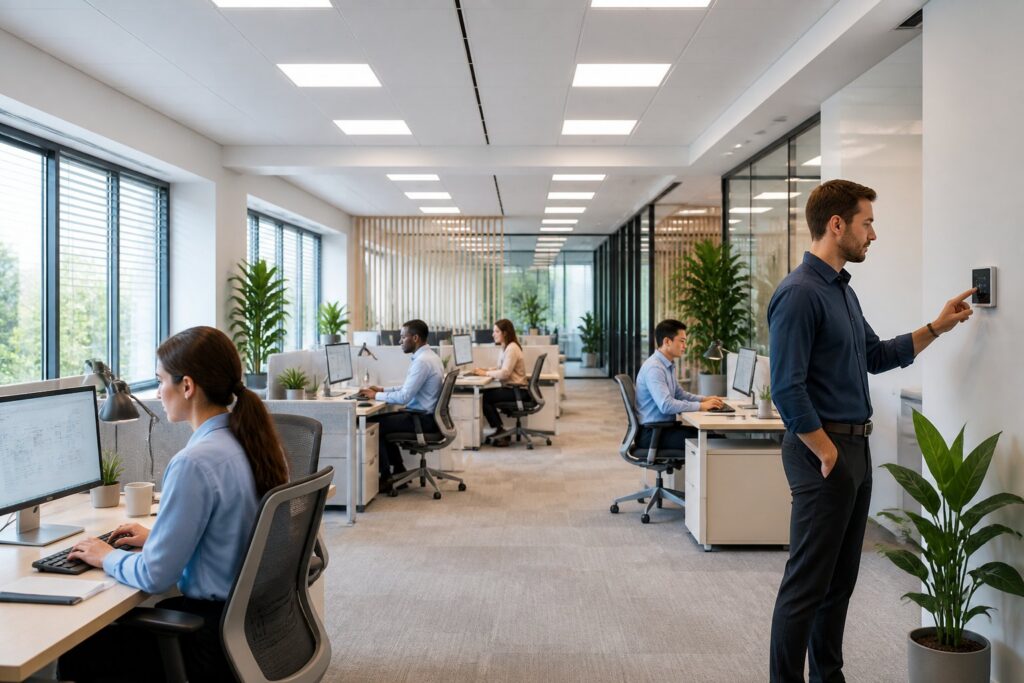
You can upgrade office lighting for productivity by fixing the light quality, placement, and controls in the spaces where people do their best work. The right setup reduces eye strain, helps people stay focused, and makes the office feel more comfortable through a full workday.
The biggest gains usually come from replacing weak, uneven, or harsh lighting with efficient LED fixtures, better control systems, and layouts matched to each workspace. That approach can improve comfort and lower energy use at the same time.
A good lighting plan is more than just brightness. It’s about giving each area the right amount of light, limiting glare on screens, and letting people work without fatigue.
Assess Current Lighting Problems
Start by looking at how your office lighting behaves during a normal day. Pay attention to brightness, shadows, flicker, glare, and spots that feel too dim or too harsh. A simple walk-through often reveals more than a quick glance at the ceiling.
Common Signs of Poor Visual Conditions
If people squint at their screens, pull desk lamps close, or complain about headaches, your lighting likely needs attention. You might spot dark corners, bright hot spots, flickering fixtures, or a color that makes the room feel tired or dull.
How Lighting Affects Focus and Energy
Poor lighting makes screen work harder than it should be. Too little light strains your eyes, and too much glare causes fatigue and distracts from tasks, so concentration drops as the day goes on.
Areas That Usually Need Attention First
Start with desks, conference rooms, reception areas, and hallways. These are the spots where lighting problems show up first, and where small changes can have a big impact.
Set Lighting Goals by Workspace Function
Each room in your office does something different, so each one needs its own lighting plan. Desk work needs steady, comfortable light, while shared spaces might need a cleaner, more inviting look.
Desk And Computer Work Zones
For computer-heavy spaces, aim for even light with minimal glare on monitors. Adjustable task lighting helps, especially with overhead lights bright enough for reading and paperwork but not so strong they cause reflections.
Conference Rooms And Collaboration Areas
Meeting rooms need flexible lighting so people can talk, present, and see screens clearly. A mix of dimmable overhead fixtures and wall or accent lighting works better than relying on one very bright source.
Reception, Hallways, And Shared Spaces
Reception areas should look polished and welcoming, not harsh. Hallways and break areas do best with steady light levels that help people move safely and feel at ease, without wasting energy.
Choose Fixtures and Controls That Support Performance
The right fixtures and controls do more than save power. They help keep light levels steady, boost comfort, and make it easier to adjust lighting as work needs change.
LED Retrofits Versus New Fixture Installations
LED retrofits are great when your current fixtures still work and you want a quick upgrade. New fixtures make sense if the existing layout feels outdated, uneven, or just doesn’t fit the way your team uses the space.
Color Temperature and Brightness Selection
Cooler white light often feels crisp and alerting in work areas. Warmer tones fit reception or lounge spaces better. Match brightness to the task—no one wants to work under harsh or dim light.
Dimmers, Sensors, And Automated Lighting Systems
Dimmers let you adjust for meetings and changing daylight. Occupancy sensors, daylight sensors, and automated controls can reduce wasted energy and keep lighting more consistent without having to fiddle with switches all day.
Improve Comfort While Reducing Glare and Eye Strain
Comfort comes from cutting sharp contrast, reflections, and light that hits screens at bad angles. Small tweaks in placement and layering can help people work longer without feeling strained.
Balancing Daylight With Interior Illumination
Natural light is great—unless it overpowers the room. If windows create bright patches or wash out screens, balance things out with interior lighting so the space stays usable all day.
Placement Strategies for Screens and Overhead Lights
Try not to put monitors right under bright ceiling lights or in front of strong windows. When you can, set screens at angles that avoid reflections, and use overhead lights that spread out instead of shining straight in your eyes.
Layered Lighting for Better Visual Comfort
Layered lighting mixes ambient, task, and accent light. That gives you more control and helps avoid the flat, tiring look that comes from using just one type of fixture.
Plan Electrical Upgrades and Professional Installation
Some lighting upgrades are simple, but others need electrical work behind the scenes. If your project includes new circuits, panels, or rewiring, plan early to avoid delays and keep the upgrade reliable.
When Rewiring or Panel Work May Be Needed
You might need electrical upgrades if the building has old wiring, overloaded circuits, or a panel that can’t handle new lighting systems. This pops up a lot when you’re adding more fixtures, smart controls, or other equipment at the same time.
Safety, Code Compliance, And Long-Term Reliability
Commercial lighting work needs to meet current electrical code and be installed with future use in mind. Good wiring, solid mounting, and correct load planning help prevent failures, reduce fire risk, and keep things running smoothly.
Working With Licensed Electricians for Commercial Results
A licensed electrician can spot issues that are easy to miss, like circuit limits, control incompatibility, or awkward fixture placement. That kind of attention matters if you want a lighting upgrade that works right away and stays reliable as your office changes.
Maintain Efficiency and Support Future Expansion
A solid lighting upgrade should keep working as your office grows or shifts. Simple maintenance and flexible controls help protect your investment and keep energy use in check.
Energy Savings and Ongoing Maintenance Practices
LED fixtures usually lower energy use and mean fewer bulb changes, so routine maintenance drops off. Still, check for dirty lenses, loose controls, or fixtures that end up out of alignment over time.
Smart Controls, Scalability, And Flexible Layout Changes
If your team grows, smart controls let you change zones, schedules, and light levels without redoing the whole system. That flexibility really helps when desks move, rooms change purpose, or hybrid work shifts how spaces get used.
Why Magnify Electric Is a Strong Fit for Central Texas Projects
Magnify Electric is a strong choice for Residential and Commercial Electrical Work because our licensed electricians handle everything from simple fixture swaps to full electrical upgrades, commercial lighting solutions, safety inspections, smart home integrations, and emergency electrical support. Our team also works on automated lighting, ceiling fans, light switches, Lutron smart home systems, EV charging outlets and wall chargers, outdoor lighting, outlet services, recessed lighting, TV installation, whole-home surge protectors, wiring, panel upgrades and repairs, troubleshooting, portable generator hookups, smoke and CO₂ detectors, and general electrical improvements for homes and businesses.
We serve Spicewood, Austin, Bee Cave, Lakeway, Dripping Springs, Georgetown, Leander, Round Rock, Kyle, Cedar Park, Liberty Hill, Westlake, The Hills, Briarcliff, Horseshoe Bay, Sunset Valley, Hutto, and nearby Central Texas communities.
Frequently Asked Questions
What type of lighting works best for computer-focused desk work without causing eye strain?
Usually, even overhead light with a separate task lamp if needed. A neutral to cool white LED setup with low glare and no flicker tends to be the most comfortable for long screen sessions.
How can I make my office lighting feel more like natural daylight throughout the day?
Try LED fixtures with a balanced color temperature and add daylight sensors if you’ve got windows. Tunable lighting helps in areas where you want things brighter in the morning and softer later on.
What are the best lighting options for an office or workspace with no windows?
For a no-window office, go with bright, even LED ambient lighting and task lights where you need them. Aim for a clean, daylight-like color temperature so the room feels more awake and less boxed-in.
How can I improve my home office lighting on a budget without rewiring anything?
Start with LED bulbs, a decent desk lamp, and better monitor and desk placement. If glare’s a problem, try flipping bulb direction, using diffusers, or moving the desk away from direct reflections.
What ceiling lighting setup works well for a home office without creating harsh shadows?
Recessed LEDs, flush-mount fixtures, or evenly spaced ceiling lights usually give good coverage. Pairing ceiling light with a task lamp helps cut harsh shadows on your desk and face.
Which lighting setup looks most flattering and professional for video calls and conferencing?
Soft, even front lighting usually does the trick for video calls. Try setting up a diffused desk lamp or a panel light right in front of you. If you can, steer clear of those harsh overhead lights—they just end up casting weird shadows under your eyes or causing glare on your glasses.