
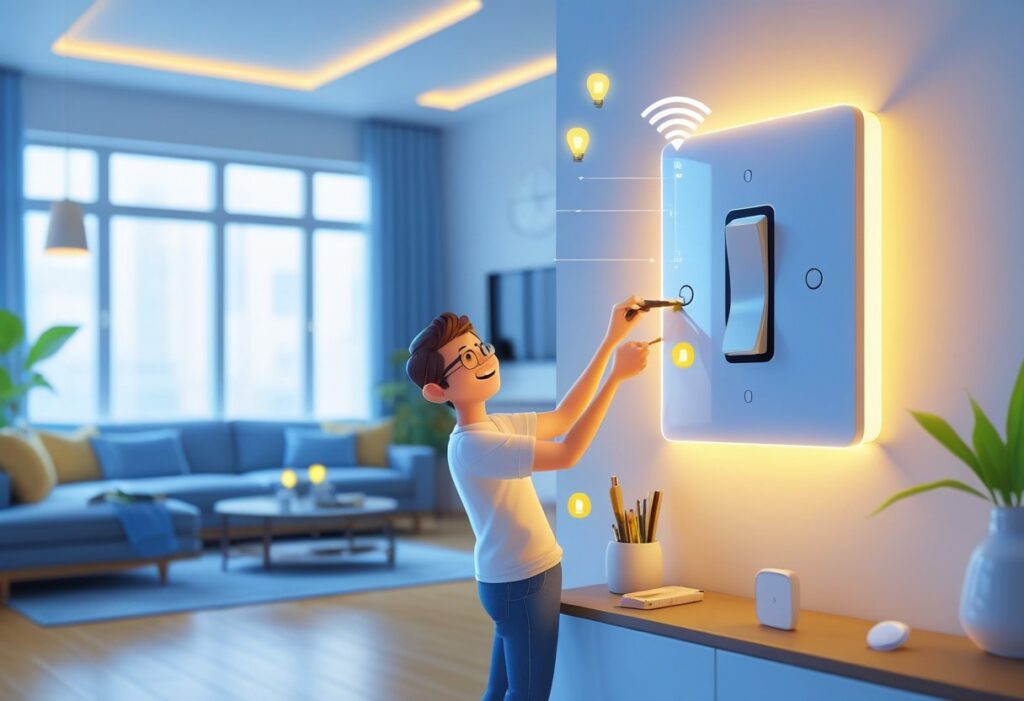
Upgrading to smart light switches makes your home more convenient and energy-efficient. Smart switches let you control your lights remotely or set schedules, helping you save energy and add ease to your daily routine.
You don’t need to be an expert to switch to smart lighting. Knowing the right steps can make the process smoother and safer.
Check if your home wiring supports smart switches and if your Wi-Fi is strong enough for the connection. Some older homes may need extra wiring or grounding to install these devices properly.
With the right setup, you can enjoy features like voice control, automatic shut-off, and multi-location light control with three-way or four-way switches.
Understanding Smart Light Switches
Smart light switches give you more control over your home lighting. You can adjust lights remotely, save energy, and fit them into your existing smart home system.
Knowing their benefits, types, and compatibility helps you decide if they are right for you.
What Are Smart Light Switches
Smart light switches replace your regular switches and connect to your Wi-Fi or smart home hub. You can control your lights with apps or voice commands like Alexa or Google Assistant.
You can set them to turn lights on or off at specific times or respond to triggers, such as motion or your phone’s location. Smart switches offer remote access, so you don’t need to be home to control your lights.
Most smart switches still work manually, so you can press them like a normal switch if you prefer.
Benefits of Upgrading
Smart switches can save energy by automatically turning off lights when not needed. They also increase convenience by allowing remote control of your lights from anywhere.
You can set schedules, dim lights for the right mood, or integrate lights with other smart devices for routines. For example, your porch light can turn on when your security camera detects motion at night.
Smart switches often include energy monitoring, so you can see how much power your lights use. This helps you cut down on electricity bills.
Types of Smart Light Switches
There are several types of smart switches with different features.
- Toggle and rocker switches: Replace your old switches but have smart controls. They work by flipping or pressing like traditional switches.
- Dimmers: Allow you to adjust brightness remotely or with voice commands.
- Multi-button switches: Control several lights or devices from one switch.
- Touchscreen or flat-panel switches: Have sleek surfaces and tap or swipe controls.
Each type fits different needs and preferences. Pick one that matches your style and how you use your home lighting.
Compatibility Considerations
Before installing smart switches, check your home’s wiring. Most need a neutral wire in the switch box for power.
Older homes might not have this, which could require extra wiring or a different switch type. Also, make sure your Wi-Fi signal is strong where you want the switch.
Check if the switch works with your smart home system, like Apple HomeKit, Amazon Alexa, or Google Home. Some switches work with multiple systems, but others only support one.
Verify the switch matches your light fixtures. Some smart switches only work with LED, CFL, or incandescent bulbs. Using the wrong bulb type may cause flickering or damage.
Preparing for Your Smart Switch Upgrade
Before you start your smart switch upgrade, get everything ready. Think about safety, gather the right tools, check your home’s wiring, and make sure your Wi-Fi and smart home hub can handle the new switches.
Safety Precautions
Working with electricity can be risky. Always turn off the power at the circuit breaker before you start any work on your switches.
Use a voltage tester to double-check that the wires you’ll handle are not live. Wear insulated gloves if possible and avoid touching bare wires.
Keep your work area dry to prevent slips or shocks. If you’re unsure about any step, call a qualified electrician for help.
Tools and Equipment Needed
You’ll need a few basic tools to install your smart switches correctly. These include a flathead and Phillips screwdriver, wire strippers, and a voltage tester.
Electrical tape and wire nuts help secure wire connections safely. Some smart switches may require a neutral wire, so check your switch’s instructions for any additional tools or parts.
Assessing Your Home’s Wiring
Not all homes have the wiring that supports smart switches. Most smart switches need a neutral wire in the switch box to work.
You can open your current switch panel to check for a group of white neutral wires. Older homes sometimes don’t have this wire, which means you might need extra electrical work or professional advice before upgrading.
Make sure your wiring matches the requirements your smart switch brand specifies.
Checking Wi-Fi and Hub Requirements
Smart switches usually connect wirelessly to your home network. Check that your Wi-Fi signal is strong at the location of each switch.
Most smart switches work on 2.4 GHz Wi-Fi, so confirm your router supports this frequency. Some switches also require a smart hub for control, so check if your switch needs one and if your current smart home system is compatible.
If your Wi-Fi is weak, consider installing a range extender or upgrading your router to avoid connection problems.
Choosing the Right Smart Light Switch
Picking a smart light switch means knowing how your lights work and what features you want. Some switches control one light, while others work with multiple switches in different spots.
You can choose dimmers or special types for added control. Brands also matter for reliability and smart home options.
Single-Pole vs. Multi-Way Switches
A single-pole switch controls one light from one place. It’s the simplest type to replace with a smart switch.
If your light is only turned on or off from one spot, this is what you need. Multi-way switches control one light from two or more places, like hallways or large rooms.
For these, you need smart switches designed to work together. These switches communicate so you can turn the light on or off from any switch location.
Check your current wiring. Some older homes may need additional wiring or special switches to work with multi-way setups.
Dimmers and Specialty Switches
If you want to adjust brightness, look for smart dimmer switches. They let you set the light level using an app or voice control.
Dimmers work well with LED bulbs, but always check compatibility. Specialty switches include options like motion sensors, which turn lights on when you enter a room, or switches with built-in timers.
Some even combine USB outlets with smart controls for added convenience. When installing these, make sure your electrical system supports them, especially grounding.
This helps avoid shocks and keeps your setup safe.
Popular Brands and Features
Look for brands known for quality and support, like Lutron, Leviton, and TP-Link. They offer smart switches that connect with popular systems like Alexa, Google Home, and Apple HomeKit.
Key features to consider:
- Remote control via apps
- Scheduling and automation
- Voice assistant compatibility
- Energy monitoring
Some brands also have easy installation guides and customer support. This can make upgrading smoother for you.
Step-by-Step Installation Process
You will start by cutting power and removing the old switch safely. Then, connect the right wires to your new smart switch.
After wiring, mount the switch firmly. Finish by turning power back on and testing the switch’s functionality.
Powering Off and Removing the Old Switch
First, turn off the power at your circuit breaker to avoid any electric shock. Use a voltage tester on the switch to make sure no current is flowing.
Remove the wall plate by unscrewing it. Then, unscrew the old switch from the electrical box.
Carefully pull it forward so you can see the wires attached. Note where each wire goes or take a photo for reference.
Wiring the Smart Switch
Your smart switch usually needs a line (hot) wire, a load wire, a ground wire, and sometimes a neutral wire. Check your new switch’s instructions for exact requirements.
Connect the ground wire (green or bare) to the switch ground screw. Attach the neutral wire (usually white) if your smart switch requires it.
Connect the line and load wires to the designated terminals on the switch. Use wire nuts to secure connections and make sure wires are tight.
If you’re unsure about any wire, look up your home wiring or get help.
Securing and Mounting the Switch
Once wires are connected, carefully push the switch back into the electrical box. Avoid pinching or kinking wires.
Align the switch with the mounting holes and screw it in place. Then attach the wall plate.
Make sure everything fits flush against the wall with no gaps.
Turning On Power and Testing
Now that your switch is mounted, turn the power back on at the breaker. Test your smart switch using both the manual toggle and the app or remote if applicable.
If the light doesn’t operate correctly, turn power off again and double-check your wire connections.
Connecting and Setting Up Your Smart Switch
When installing your smart switch, connect it to your home network and devices. Pair it with a mobile app, link it to voice assistants, and set up schedules or automations.
These steps help you control your lights easily and save energy.
Pairing With Mobile Apps
Start by downloading the smart switch’s app on your phone or tablet. Most apps are available for both iOS and Android.
Make sure your phone is connected to the same Wi-Fi network that you want your smart switch to use. Open the app and follow the instructions to add a new device.
Usually, you’ll need to put the switch into pairing mode by pressing a button. The app will search for the switch and connect it to your Wi-Fi.
If the connection fails, check your network password and signal strength. Once paired, you can rename the switch, control it remotely, and see energy usage if your model supports it.
Keep your app updated for the best experience.
Integrating With Voice Assistants
Many smart switches work with voice assistants like Amazon Alexa, Google Assistant, or Apple HomeKit. To link your switch, open the assistant’s app and go to the device section.
Look for an option to add a new smart device or skill. Find the brand of your switch and follow the prompts to log in and authorize the connection.
After this, you can control your lights using voice commands like “turn on the kitchen light.” Make sure your assistant and smart switch are on the same Wi-Fi network.
Test the integration by asking your voice helper to control the switch. If it doesn’t respond, try restarting the apps or devices.
Configuring Schedules and Automations
Using the smart switch app, you can set daily schedules to turn lights on and off automatically. This saves energy and secures your home when you’re away.
For example, schedule bedroom lights to turn off at 10 p.m. or porch lights to come on at sunset. Automations let you create actions based on triggers.
Some examples are turning on the lights when you arrive home or when a motion sensor detects movement. To set this up, choose triggers like time, location, or device activity in the app.
Experiment with different schedules and automations to find what fits your routine best. Adjust settings anytime to improve convenience and efficiency.
Troubleshooting Common Issues
When upgrading to smart light switches, you might run into a few typical problems. These usually involve the switch connecting to your network, wiring mistakes during installation, or syncing the switch with your phone app.
Connectivity Problems
If your smart switch won’t connect to Wi-Fi, check your router’s signal strength near the switch. Walls and distance can reduce signal quality, so try moving your router closer or using a Wi-Fi extender.
Make sure your network is on a 2.4 GHz band, as many smart switches don’t support 5 GHz. Double-check your Wi-Fi password for accuracy.
If the switch still won’t connect, reboot your router and reset the switch by following the manufacturer’s instructions. Updating your router’s firmware might also fix connection issues.
Wiring Errors
Incorrect wiring is a top cause of smart switch problems. Turn off the power at the breaker before starting to stay safe.
Smart switches usually need a neutral wire for power. If your old switch box doesn’t have this wire, the smart switch may not work properly without extra wiring or adapters.
Double-check the wiring connections. Connect Line (power from breaker), Load (to the light fixture), Neutral, and Ground wires to the correct terminals.
Loose or crossed wires can cause flickering lights or prevent the switch from working. Use a voltage tester to check if wires are live or off before touching them.
App Syncing Challenges
After installation, syncing your smart switch with its app can sometimes fail. Make sure your phone is on the same Wi-Fi network as the switch.
Check the app for software updates and install them. Outdated apps can cause syncing problems.
Put the switch in pairing mode. Many switches require you to press and hold a button until a light flashes.
If your switch still won’t appear in the app, uninstall and reinstall the app or reset the switch. Deleting the switch from the app and adding it again can also help.
Adding Scenes and Routines
You can create scenes that set multiple lights to specific colors or brightness levels with one tap. For example, set a “Movie Night” scene that dims the lights and turns off overhead lamps.
Routines let you automate your lighting based on time, location, or actions. You might schedule your porch lights to turn on at sunset or have your bedroom lights dim slowly as bedtime approaches.
Most smart switch apps let you build these scenes and routines easily. You can adjust or add new ones anytime as your needs change.
Integrating With Other Smart Devices
Your smart light switches can work with devices like smart speakers, sensors, and thermostats. Linking your lights to motion sensors means they turn on automatically when you enter a room and turn off when you leave.
Connecting switches to smart assistants like Alexa or Google Assistant lets you control lights with voice commands. You can say, “Turn off the kitchen lights,” without lifting a finger.
Some systems let you pair lights with smart locks or security cameras. For example, your porch lights can turn on when your security camera detects motion at night, improving safety around your home.
By integrating different smart devices, you make your home more interactive and energy-efficient.
Maintenance and Safety Tips
When you upgrade to smart light switches, keep them in good shape. Check your switches regularly for any signs of wear, such as flickering lights or unresponsive controls.
Always turn off the power at the circuit breaker before cleaning or inspecting your smart switches. Use a dry cloth to wipe them down.
Avoid using water or cleaners that might damage the electronics. Make sure your switches are properly grounded.
Grounding helps prevent electrical shocks and reduces fire risks. If you’re unsure about grounding, ask a professional electrician to check it.
If your smart switch stops working or acts strangely, reset the device first. If problems continue, contact an electrician who understands smart home systems.
Here’s a quick safety checklist for your smart light switches:
| Task | How Often | Notes |
|---|---|---|
| Check switch function | Monthly | Look for flickering or delayed response |
| Clean switch surfaces | Every 3 months | Use a dry cloth only |
| Test circuit breaker | Twice a year | Ensure it cuts power effectively |
| Inspect grounding | Annually or when installed | Professional help recommended |
Upgrading Other Lighting Controls
When upgrading to smart light switches, think about other controls that can boost your lighting experience. Dimmer switches are a great choice.
They let you adjust the brightness to set the mood or save energy by using only the light you need. You can also add motion sensors to your lighting system.
These switches turn lights on or off automatically when someone enters or leaves a room. They are handy in places like hallways or closets.
Another option is a remote control system. This lets you control your lights from your phone or a remote, even when you’re not home.
Before upgrading, make sure your home wiring supports these devices. If you’re unsure, call a professional to help you avoid safety issues.
Here’s a quick list to check:
- Dimmer switches: Adjusts light level
- Motion sensors: Automatic on/off
- Remote controls: Control lights from anywhere
Upgrading these controls with your smart switches can create a more flexible and efficient lighting system for your home.
Frequently Asked Questions
Upgrading to smart light switches means dealing with wiring details, compatibility, and installation steps. You’ll also need to know which models work best and how to connect them to your home system.
What do I need to know before installing a smart light switch?
First, always turn off power at the breaker before starting any work. Understand your home’s wiring and have the right tools for the installation.
Can I install a smart light switch without a neutral wire?
Most smart switches require a neutral wire to work properly. Some models work without one, so check the product specs to see if a neutral wire is needed.
How do you convert a traditional toggle switch to a smart switch?
Remove the old switch after cutting power. Connect the new smart switch to the existing wires following the instructions.
Usually, you’ll need to connect the line, load, neutral (if required), and ground wires.
What are the best smart light switches on the market today?
Popular brands include Lutron, Shelly, and others. Look for switches that offer app control, voice commands, energy monitoring, and easy setup.
Are there any specific wiring considerations when installing a Lutron or Shelly smart switch?
Lutron devices often need a neutral wire, but some models work without it. Shelly switches usually require a neutral wire too.
Always check the wiring guide for the specific model you’re using.
How can I integrate smart light switches with my home automation system?
Most smart switches connect to your Wi-Fi. You can control them using apps or voice assistants like Alexa or Google Home.
Check if your switch works with your system. Keep its software updated for the best performance.